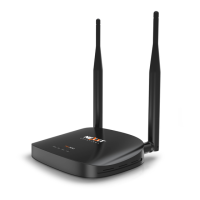
Recommendations: We recommend to work with the Nyx300 stand-alone. This is because
sometimes the PC or Laptop are connected to a Wireless Signal or via LAN to the main router
or modem. If you are using a Laptop or PC with Wi-Fi signal, please disable the Wi-Fi or turned
Off. This article will set up the Nyx300 via Ethernet cable.
Requirements:
PC or Laptop (remember to disable the Wi-Fi)
Nyx300
Ethernet cable (this will come in the box)
Power Adapter (this will come in the box)
NOTE: If you are using a Laptop or PC and do not have the Ethernet Port you will have to
connect the PC or Laptop via wireless. All you have to do is the following.
Turn ON the Wireless or Wi-Fi on the Laptop or PC.
Search for networks in the vicinity
You will see the name of the SSID provided by the Nyx300. This will be something
like Nexxt_XXXXXX (where the Xs are the last 5 to 6 digits of the MAC Address of the

 To Next Page
 Loading...