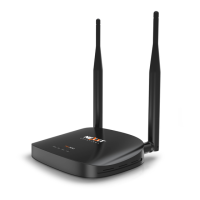
Nyx300) To be sure which it is, take the Nyx300in your hand and turned over and you
will see an orange sticker that will contain information about the Nyx300. Look for the
MAC Address.
Choose the network, and connect the PC or Laptop to it and you are done.
Steps:
1. Connect the power adapter to the Nyx300. This will turn On the device.
2. Press the RESET/RST button for 20 seconds. This will reset the Nyx300in case you have
done any changes and you didn´t notice.
3. Take the Ethernet cable in your hand, one end of the cable goes to the LAN Port #1 in the
Nyx300and the other end goes to the Ethernet Port on the PC or Laptop.
4. Once you are connected either Wi-Fi or Ethernet, open your browser and type the IP
Address 192.168.0.1 press the key ENTER.
5. If you have done all the steps correctly, you will get a prompt windows asking you to sing in
by typing the Username and Password so proceed to type admin in both fields. This
information also appears in the guide and bellow the Nyx300.
6. Once you pass the sing in prompt you will see the configuration website.

 To Next Page
 Loading...