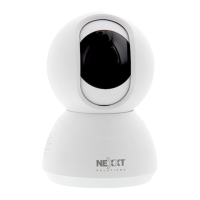
Package content
• Smart Wi-Fi camera
• Power adapter
• 10ft USB cable attached to camera
• Quick setup guide
• 4 screws
• 4 concrete anchors
Wall/ceiling
mounting bracket
Lock collar to set the camera
at the desired angle
Smart Wi-Fi
camera
How to insert the
microSD™ card
The Wi-Fi camera comes with a built-in card slot which
supports a microSD™ card of up to 128GB. Once you insert
the storage card, the camera will automatically start to
record and store images and footage on that memory.
Step 1: Loosen the speaker cover screws with a screwdriver.
Remove the cover gently since wires are attached to it.
Step 2: Insert the microSD™ card. Make sure to install it in
the correct direction.
Step 3: Put the cover back and tighten both screws to
secure it in place.



 To Next Page
 Loading...