
 Need help?
Do you have a question about the Nexxt NHC-D100 and is the answer not in the manual?
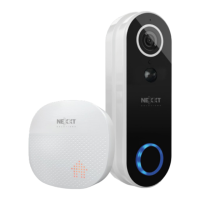
Lists all the items included in the product packaging, such as the doorbell unit and accessories.
Details the physical parts of the doorbell and chime units, including ports, buttons, and indicators.
Provides two methods for mounting the doorbell bracket: 3M self-adhesive and screw mount.
Explains how to power the doorbell using its rechargeable battery or a hardwired AC connection.
Guide on how to properly insert and secure a microSD card for video recording.
Instructions on linking the doorbell and chime via Bluetooth for synchronized alerts.
Instructions for downloading and installing the Nexxt Home mobile application on your smartphone.
Guide on powering on the device, LED indicators, and performing a manual reset.
Steps for connecting the doorbell to your 2.4GHz Wi-Fi network by scanning a QR code.
Details the functions and features accessible through the main interface of the Nexxt Home app.
Guide on how to accept or decline visitor calls, and communicate via the app.
Table explaining how to answer doorbell calls based on app status for iOS and Android.
Guide to navigating the app's menus for device settings and parameters.
Covers basic settings, advanced motion detection, PIR sensors, and power management.
Manages microSD card settings, cloud storage, and sharing device access with others.
Instructions on how to remove shared users from the device on iOS and Android platforms.
 General
| Brand | Nexxt Solutions |
|---|---|
| Model | NHC-D100 |
| Category | Accessories |
| Resolution | 4K |
| Color | Black |

 To Next Page