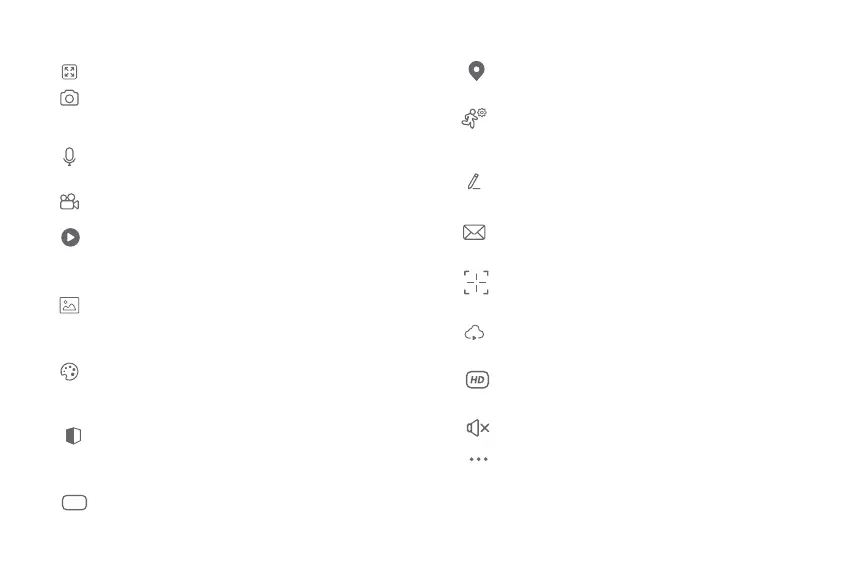
Full screen: Switches to full screen mode.
Screenshot: Takes a picture of what the camera is
viewing.
Speak: Allows voice communications through the
microphone.
Record: Starts recording a video.
Playback: If a microSD™ is installed, you can use the
playback function to watch recordings.
Gallery: Presents a list of all recorded videos and
photos stored locally or in the cloud.
Theme color: Allows users to customize the
appearance of the interface by switching to either
light mode or dark mode, the latter recommended
for battery-saving purposes on your smart device.
Private mode: It switches the camera to sleep mode
to give users peace of mind about their privacy by
blocking the lens, recording and microphone
functions when they are at home.
HDR: The High Dynamic Range is a technology that
improves the quality of scenes by enhancing the
brightness and contrast ratios of the screen.
Motion tracking: Activate this function to have the
camera follow the movement of the human body.
Motion detection settings: Turns the motion
detection feature on and o. Changes the sensitivity
from Low, Medium, or High.
Unied controls: Use it to set up shortcuts to control
other compatible smart devices.
Messages: A quick way to view the list of push
notications sent to your mobile device.
Direction: Activate this function to control manually
the camera's movement.
Cloud storage: For added storage capacity, check
our cloud services available through a subscription.
HD/SD: Switches between High Denition and
Standard Denition.
Mute: Puts the camera's microphone in silent mode.
Settings: Allow access to the camera parameters.


 To Next Page