EasyManua.ls Logo

Nexxt Smart Wi-Fi camera - User Manual

Nexxt Smart Wi-Fi camera
32 pages
Print Icon
To Next Page IconTo Next Page
Loading...
WARRANTY
nexxtsolutions.com/warranty
YEAR
2
Smart Wi-Fi camera
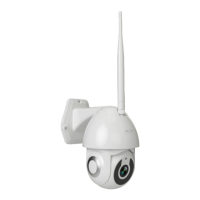
Outdoor Wired PTZ Camera
Question and Answer IconNeed help?

Do you have a question about the Nexxt Smart Wi-Fi camera and is the answer not in the manual?

Summary

Product Overview

Camera Components

Identifies key physical parts of the camera, including visual sensors, connectivity interfaces, and operational elements.

Lens and Infrared Light

Details the camera's primary lens for image capture and the integrated infrared LEDs for night vision functionality.

Connectivity and Storage

Explains the Wi-Fi antenna, RJ45 port for wired connection, and the microSD card slot for local data storage.

Installing the Nexxt Home App

App Download and Installation

Guides users on how to download and install the Nexxt Home application from the App Store or Google Play.

Camera Installation

Mounting Procedure

Provides instructions on selecting a location and securing the outdoor camera using screws and anchors.

Power Connection Guide

Details the process of plugging in the camera using the provided AC adapter and initial power-up indicators.

Adding Device to App

Initiating Device Addition

Explains the initial steps within the app to begin adding a new smart camera device, typically via a '+' icon.

Device Reset and Pairing

Guides on resetting the camera and ensuring it's ready for pairing, indicated by blinking lights or tones.

Camera Settings

Renaming the Camera

Allows users to customize the device name for easier identification within the Nexxt Home app interface.

Live View and Recording Features

Describes functions like full screen, screenshot, speak, record, and playback for monitoring and capturing footage.

Motion Detection and Tracking

Covers activating motion detection, adjusting sensitivity, and enabling camera tracking of human movement.

Cloud Storage Options

Details the availability and benefits of cloud storage services for enhanced video data management.

Device Settings and Configuration

Device Name Customization

Enables users to modify the default device name, impacting how it appears in the application.

Private Mode and Basic Functions

Covers activating private mode for privacy and configuring basic operational settings like flip screen or talk mode.

Sharing Device Access

Adding and Removing Users

Explains how to grant or revoke access to the camera for other Nexxt Home account holders.

Device Information

Viewing Device Details

Displays essential camera information such as owner, IP address, device ID, time zone, and signal strength.

Basic Functionality Settings

Details settings related to screen orientation (flip screen) and communication modes (talk mode).

Advanced Settings and Options

Motion Detection Configuration

Allows adjustment of motion detection alarms, tracking, and scheduling for alerts based on movement.

Cloud Storage Plans

Presents various subscription options for cloud storage, including trial, basic, and premium plans.

Memory Card Management

Storage Capacity and Usage

Shows total, used, and remaining capacity of the microSD card and enables local recording settings.

Recording and Formatting

Covers setting recording modes, schedules, and formatting the microSD card for camera use.

Feedback and Firmware

Submitting Feedback

Provides a channel for users to report issues or provide feedback regarding product setup and performance.

Firmware Updates and Device Removal

Informs about new features via firmware upgrades and explains how to remove the camera from the account.

Summary

Product Overview

Camera Components

Identifies key physical parts of the camera, including visual sensors, connectivity interfaces, and operational elements.

Lens and Infrared Light

Details the camera's primary lens for image capture and the integrated infrared LEDs for night vision functionality.

Connectivity and Storage

Explains the Wi-Fi antenna, RJ45 port for wired connection, and the microSD card slot for local data storage.

Installing the Nexxt Home App

App Download and Installation

Guides users on how to download and install the Nexxt Home application from the App Store or Google Play.

Camera Installation

Mounting Procedure

Provides instructions on selecting a location and securing the outdoor camera using screws and anchors.

Power Connection Guide

Details the process of plugging in the camera using the provided AC adapter and initial power-up indicators.

Adding Device to App

Initiating Device Addition

Explains the initial steps within the app to begin adding a new smart camera device, typically via a '+' icon.

Device Reset and Pairing

Guides on resetting the camera and ensuring it's ready for pairing, indicated by blinking lights or tones.

Camera Settings

Renaming the Camera

Allows users to customize the device name for easier identification within the Nexxt Home app interface.

Live View and Recording Features

Describes functions like full screen, screenshot, speak, record, and playback for monitoring and capturing footage.

Motion Detection and Tracking

Covers activating motion detection, adjusting sensitivity, and enabling camera tracking of human movement.

Cloud Storage Options

Details the availability and benefits of cloud storage services for enhanced video data management.

Device Settings and Configuration

Device Name Customization

Enables users to modify the default device name, impacting how it appears in the application.

Private Mode and Basic Functions

Covers activating private mode for privacy and configuring basic operational settings like flip screen or talk mode.

Sharing Device Access

Adding and Removing Users

Explains how to grant or revoke access to the camera for other Nexxt Home account holders.

Device Information

Viewing Device Details

Displays essential camera information such as owner, IP address, device ID, time zone, and signal strength.

Basic Functionality Settings

Details settings related to screen orientation (flip screen) and communication modes (talk mode).

Advanced Settings and Options

Motion Detection Configuration

Allows adjustment of motion detection alarms, tracking, and scheduling for alerts based on movement.

Cloud Storage Plans

Presents various subscription options for cloud storage, including trial, basic, and premium plans.

Memory Card Management

Storage Capacity and Usage

Shows total, used, and remaining capacity of the microSD card and enables local recording settings.

Recording and Formatting

Covers setting recording modes, schedules, and formatting the microSD card for camera use.

Feedback and Firmware

Submitting Feedback

Provides a channel for users to report issues or provide feedback regarding product setup and performance.

Firmware Updates and Device Removal

Informs about new features via firmware upgrades and explains how to remove the camera from the account.

Nexxt Smart Wi-Fi camera Specifications

General IconGeneral
ConnectivityWi-Fi 802.11n
FeaturesMotion detection, night vision, two-way audio
Field of View110 degrees
Motion DetectionYes
StorageMicroSD card (up to 128GB)
Power5V
CompatibilityiOS, Android
Night VisionUp to 10 meters
Two-Way AudioBuilt-in microphone and speaker
Operating Temperature-10°C to 50°C

Related product manuals