
 Need help?
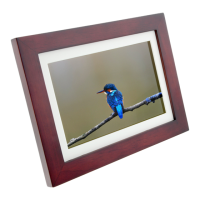
Do you have a question about the Nexxt Smart WI-Fi photo frame and is the answer not in the manual?
Plug the power adapter into a standard wall outlet.
Tap 'Setting' to configure the Wi-Fi network and connect to 2.4GHz.
Download the Nexxt Home app from Google Play or Apple App Store.
Register by email or phone via the Nexxt Home app.
Enter the verification code sent to your device.
Create a new password (6-20 characters, letters and numbers).
Select 'Add device' and then the smart photo frame.
Use your phone to scan the QR code displayed on the frame screen.
Device connecting and initializing. Keep router, mobile, and device close.
Confirmation message displayed upon successful device addition.
Choose images from your phone gallery to send to the frame.
Indicates successful image upload; note the 9-image limit per transfer.
 General
| Screen Size | 10.1 inches |
|---|---|
| Aspect Ratio | 16:10 |
| Power Source | AC adapter |
| Resolution | 1280 x 800 |
| SD Card Slot | Yes |
| App Support | Yes |
| Orientation | Portrait and Landscape |
| Supported Media Formats | JPEG, BMP, PNG, MP4 |

 To Next Page