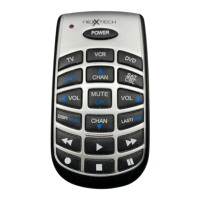
Need help?
Do you have a question about the NexxTech 1519003 and is the answer not in the manual?
Installs 2 AAA batteries for remote operation.
Remote automatically times out after 30 seconds of inactivity.
Allows TV volume control in other device modes.
Accesses last used VCR/DVD device in any mode.
Details functions of core buttons like Power, Menu, Guide, Arrows, Select, Info, Exit, P, Backlight, A-B, PIP, Swap, Move, Sleep, Vol+/-, Mute, Last, CH+/-.
Covers 0-9, Enter, Subtitle, and VCR transport keys (Rew, Play, FF, Pause, Stop, Rec).
Explains DVD button operations like CHAP/CHAN, INFO, MENU, SELECT, EXIT, PLAY, STOP, PAUSE, SUBTITLE, A.B.
Describes Satellite button operations like GUIDE, INFO, MENU, SELECT, EXIT, A.B.
Programs remote using 3-digit codes for specific brands.
Searches for compatible codes by cycling through device channels.
Identifies stored codes by pressing numeric keys.
Sets a timer to turn off the TV after a specified period.
Basic steps for turning on and operating devices with the remote.
Addresses common issues like remote not operating device or features.
 General
| Device Type | Universal Remote |
|---|---|
| Brand | NexxTech |
| Model Number | 1519003 |
| Number of Devices Supported | 4 |
| Power Source | 2 x AAA batteries |
| Compatible Devices | TV, DVD, VCR, Cable |


 To Next Page