Need help?
Do you have a question about the nfortec NEKKAR and is the answer not in the manual?
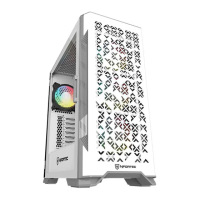
Protects top, bottom, and frontal air intakes from dust.
Features individual frontal LEDs and 3x 120mm fans.
Offers a full view of internal components and protection.
Supports VGA up to 340mm and CPU cooler up to 170mm.
Remove side and front panels carefully.
Install the power supply unit.
Install the motherboard onto the standoffs.
Install hard drives and solid-state drives.
Install the graphics card and secure expansion slot.
Install cooling fans and radiators if applicable.
Configure and install the RGB fan controller.
Supports 3x 120mm or 3x 140mm fans, and up to 240mm radiators.
Supports 2x 120mm or 2x 140mm fans, and up to 240mm radiators.
Supports 1x 120mm fan and up to 120mm radiators.
Details 5v 3pin A-RGB and 3pin power connectors.
Explains 4pin PWM and 5v 3pin A-RGB sync connections.
Describes the SATA connector for PSU power.
Important note on connecting 3-pin fans to 4-pin PWM outputs.
 General
| Brand | nfortec |
|---|---|
| Model | NEKKAR |
| Category | Computer Hardware |
| Language | English |

 To Next Page