3
MODES
BLUETOOTH / USB / MICRO SD CARD
BLUETOOTH SPEAKER CONTROL
FUNCTION
To switch between modes, press the Mode key. If the device is
not connected to a Micro SD card or USB memory, it will skip
these modes when the Mode key is pressed.
1. In playing music, press button to pause music, press it
once again to play.
2. In Bluetooth mode, if you press this button briey, you
return to the previous track. Press down to lower the volume.
3. In Bluetooth mode, if you press this button briey, you
move to the next track. Press down to increase the volume.
MICRO SD CARD MODE
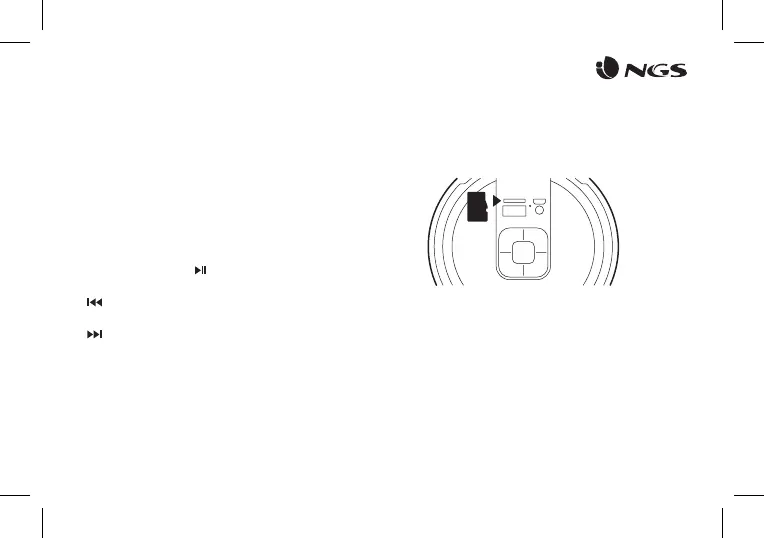
1. Insert the Micro SD card into the slot.
2. The device will automatically play any music in MP3 format on
the card.


 To Next Page