4
USB MODE
TWS MODE
1. Insert a USB ash drive into the slot.
2. The device will automatically play any music in MP3 format on
the ash drive.
1. Turn on 2 identical devices and make sure both are in
Bluetooth mode.
2. Press the PLAY/PAUSE button of a loudspeaker for 5 seconds
to enter/exit TWS mode. You’ll hear one beep and after a short
time three further beeps, indicating that the pairing has been
successful.
3. Connect your mobile device via Bluetooth to either of the 2
speakers and increase the volume.
CHARGING THE BLUETOOTH SPEAKER
4. If the pairing is successful, a beep is heard from the speaker
and the blue LED ashes slowly.
BLUETOOTH MODE
1. Press and hold the ON/OFF button for 3 seconds, a message
sound; “beep” will announce from speaker and the mode LED
will blinking in blue; the device is turned ON and goes into
searching mode.
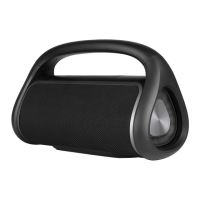
2. Search for “ROLLER TEMPO” on your mobile device and select it
to begin pairing.
3. The Bluetooth speaker will be reconnecting automatically if
your mobile phone has been paired (Depend on the of mobile
phone’s type and conguration, manual reconnection may
require on some devices).
1. Connect the Micro USB cable to the speaker.
2. The charging LED will turn ON in red light; the rechargeable
battery is in charging.
3. The charging LED red light will turn OFF when the
rechargeable battery is fully charged.
4. Disconnect the USB cable.


 To Next Page