4
USING THE REMOTE CONTROL
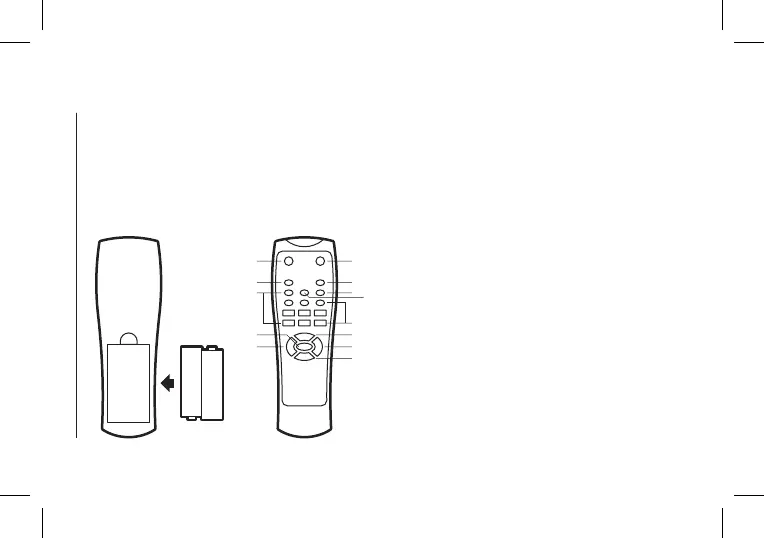
Installing the batteries
Remove the battery cover from the back of the remote
control as shown and insert 2xAAA size batteries ensuring
correct polarity.
1
2
3
4
5
6
7
8
9
10
11
12
Power on / Standby
Mute
Repeat key (single repeat, repeat all)
Mode key (choose from AUX / USB / SD / Bluetooth / FM
modes)
0-9 keys
Sound mode key (choose from EQ1, EQ2, EQ3, EQ4, EQ5)
Record key (press to start and again to stop recording)
Play/pause (the sound will be muted when paused)
Volume –
Volume +
Previous song
Next song
1
3
5
8
9
2
4
7
6
5
11
10
12
Note for remote:
The remote control should be used within 6m from the
device, around 30 degree on the left/right side, pointed
directly towards the speaker system.


 To Next Page