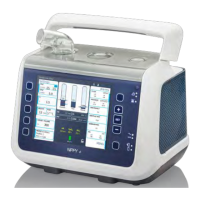
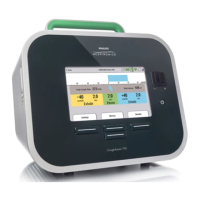
This quick start guide has been developed by the NHS and Cabinet Office and should be used in conjunction with the manufacturers Instructions for Use
SET THE CONTROLS ON THE G5
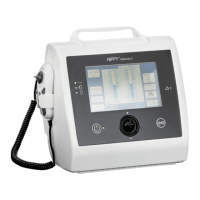
HAMILTON-G5 VENTILATOR: QUICK START GUIDE
CONNECT AND SET UP THE G5
TYPE A ICU
Alarm lamp (illuminates when alarm triggered)
Touch screen display
Manual breath
100% 0
2
flush
Audio Pause
Screen lock/unlock
Nebuliser setup
Standby mode
Print screen (if enabled)
Press-and-turn rotatory knob
Rear view of Hamilton G5 ventilator
Connect high pressure gas supply to rear of
machine:
High pressure NIST AIR connection.
High pressure NIST OXYGEN connection.
High pressure gas water trap and filter
AC power socket and Power button also
found to rear of machine.
How do I connect the ventilator?
(Image A)
1
A
1
2
3
4
How do I set up the breathing system and the HME filter?
(Image B)
• Ventilator can be controlled via
touchscreen or press-and-turn
rotatory knob
• Instructions displayed on screen
• Hard button functions as labelled
Navigation system for setting
controls (Image C)
3
C
• Inspiratory limb tubing connected
attaches to inspiratory port
(inspiratory filter needed first)
.
• Expiratory valve set locks
clockwise in place. Expiratory limb
connects to expiratory port
. No
further connections needed for
expiratory exhaust
.
• Inspiratory and expiratory limbs
connected by Y-piece
.
• Flow sensor
attaches to Y-piece.
Colour coded flow sensor tubing
attach to connection ports
• HME attaches to flow sensor ,
then catheter mount
2
B
1
2
3 4
8
9
6
5
7
12
3
4
5 6 7 8 9 10

 Need help?
 General

 To Next Page