Filter care
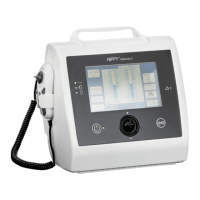
The patient air filter is located at the side of the machine and prevents dust from entering.
Disconnect the device from the power source and place on a dust free surface.
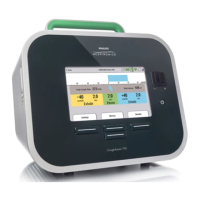
The cooling air inlet filter is located at the bottom left side of the ventilator.
Weekly
• Remove both the patient air filter and the cooling air inlet filter.
• Remove any visible dust.
• Wash the filters using warm water and mild soap.
• Rinse thoroughly.
• Dry the filters by squeezing them out on a towel – do not wring.
• Make sure the filters are completely dry before reinserting.
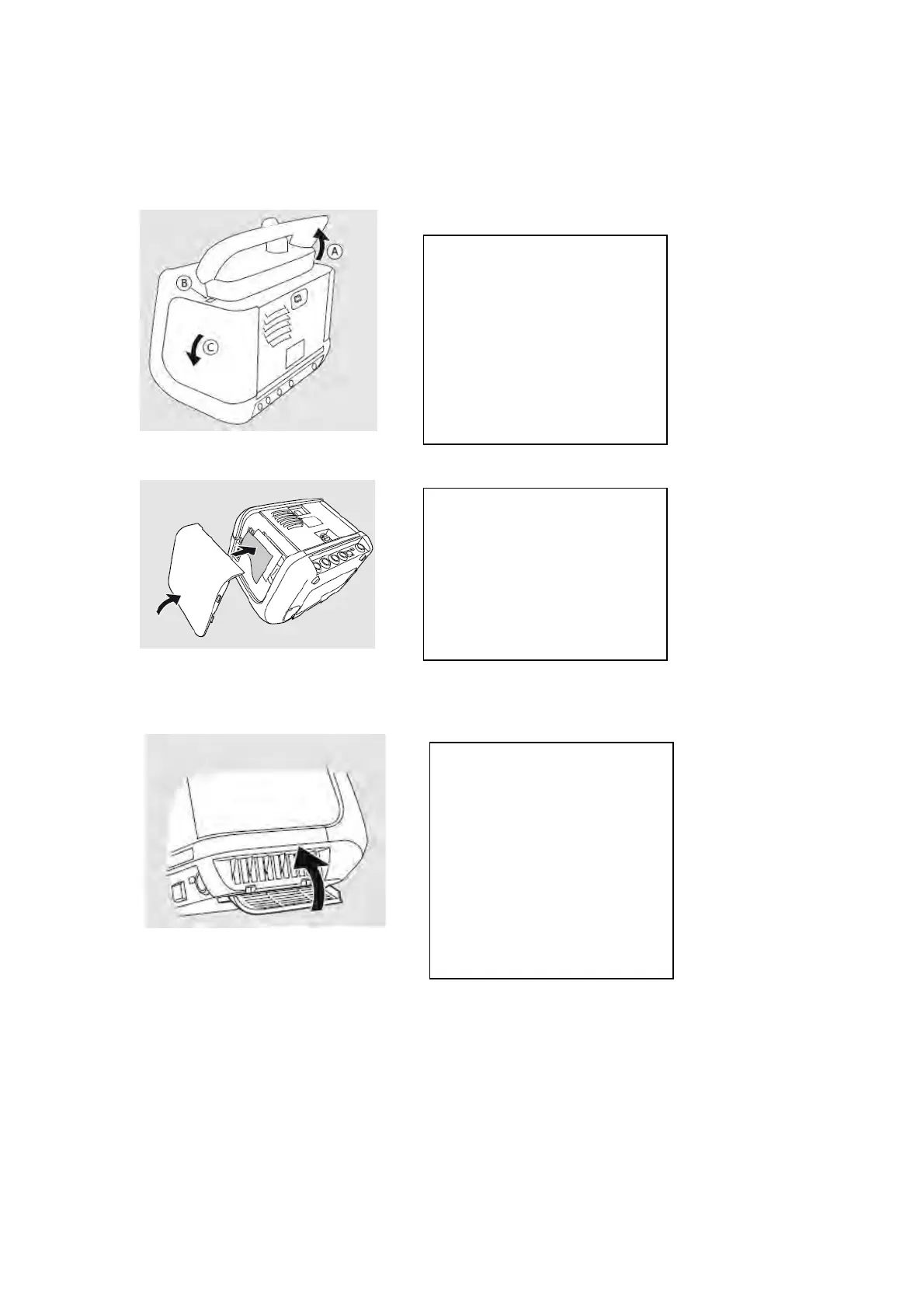
Lift the handle (A) to
access the release button.
To remove the filter side
panel, press and hold the
button above the panel
(B).
Remove the panel (C).
Remove and wash (or
replace) the filter.
Make sure the filter is
completely dry before
replacing it and closing
the side panel.
Remove by pulling the
filter cover downwards
and take out the filter.
Wash or replace the filter.
Make sure the filter is
completely dry before
replacing it and closing
the filter cover.


 To Next Page