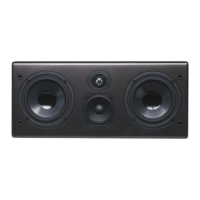
Your monitors will reproduce the
frequency range selected by your
AV Receiver.
The High Pass Filter determines the range of
frequencies that the main speakers ("satellites")
will reproduce. For example, a high pass setting
of 80Hz means that the main speakers receive
a signal containing only frequencies above
80Hz. The 3-positon High Pass Filter is selec-
table between 50Hz, 80Hz, and 110Hz to
accommodate a variety of speaker sizes.
If you are using Evolution monitors, the setting
for this control shown is 80Hz. If using speakers
other than Evolution monitors and Connection
Methods 2 or 3, use the guidelines below.
Set the High Pass Filter to a frequency above
the rated low frequency limit of the main speak-
ers. For example, if your speakers have a rated
low frequency response of 40Hz, use the 50Hz
high-pass setting. If your speakers have a rated
low frequency response of 90Hz, use the 110Hz
high-pass setting. Check the owner's manual
for their rated low frequency response.
Low Pass Filter Control (Front Panel) -
Connection Methods 2 and 3 Only
The continuously variable Low Pass Filter deter-
mines the range of frequencies produced by the
subwoofer. For example, a low pass setting of
100Hz means that the subwoofer reproduces
only frequencies below 100Hz. The LFE input is
not affected by this control.
Adjust the Low Pass Filter to
approximately the same setting as
the High Pass Filter as a starting
point. Adjust the Low Pass Filter in
small increments up or down until the blend
between the Evolution Subwoofer and your
main speakers is seamless and the subwoofer
does not call attention to itself. Music featuring
male vocals, cello and acoustic bass, bass gui-
tar and certain wind instruments (like saxophone
and trombone) is useful for setting the low pass
frequency.
Phase Controls (Front Panel)
The Subwoofer Phase switch and continuously
variable knob change the phase of the sub-
woofer output anywhere from 0° to 270° relative
to the high pass output. Proper subwoofer
phase is important to achieve smooth bass
response. An improper phase setting causes
large peaks and dips in the fre-
quency response of the com-
bined subwoofer/satellite sys-
tem at the listening position.
The result of these peaks and
dips is low frequency production
that is very pronounced at certain frequencies
and a lack of seamless integration between the
satellites and subwoofer.
The optimal phase setting will vary depending
on room conditions and placement. While fine
tuning phase settings, have a familiar stereo CD
available. You should listen to the same song
while alternating phase settings. Find the best
setting while sitting at the primary listening posi-
tion.
The initial settings described in Section 7 pro-
vide a good starting point for your Evolution sys-
tem. However, if you want to experiment or are
using main speakers other than Evolution
Monitors, use the following procedure: Begin by
setting the phase knob at 0°, alternating the
switch position between 0° and 180°. From the
listening position, choose the switch position


 To Next Page
 Loading...