
EasyManua.ls Logo

Niagara ECO IQ N9195 - User Manual

Niagara ECO IQ N9195
47 pages
Print Icon
To Next Page IconTo Next Page
Loading...
®
ECO•IQ
#N9195
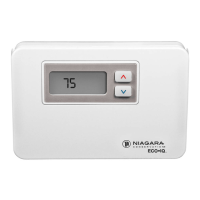
5-2 Programmable Electronic Thermostat Heat/Cool
Termostato electrónico programable de calefacción/enfriamiento 5-2
INSTALLATION & OPERATING
INSTRUCTIONS (PAGES 1-24)
INSTALACIÓN E INSTRUCCIONES
DE OPERACIÓN (PAGES 25-48)

Questions and Answers

Summary

SPECIFICATIONS

INSTALLATION

Removing the Existing Thermostat

Steps to detach the old thermostat from the wall.

Installing the New Thermostat

Guide for mounting the new thermostat on the wall.

CONTROLS

Key Controls and Functions

Explanation of the thermostat's control buttons and their functions.

System and Fan Switch Settings

Details on system mode and fan operation switch settings.

LCD DISPLAY

OPERATING THE THERMOSTAT

Testing the New Thermostat

Procedure to verify the thermostat's functionality after installation.

Setting Time and Day

Instructions for configuring the current time and day on the thermostat.

Heating and Cooling Programs

Details on the thermostat's pre-set and customizable heating/cooling schedules.

Temperature Hold Modes

How to set temporary or extended vacation temperature holds.

Advanced Settings and Key Lock

Changing set temperatures, locking controls, and resetting the lock.

FEATURES

Low Temperature Protection

Ensures heat is called for when room temperature drops below 40°F.

Compressor Protection

Features a 5-minute delay to protect the system compressor from short cycling.

System Reset Function

Resets the thermostat to factory default software settings.

Filter Change Reminder

Alerts the user to change the heating/cooling system filter.

Low-Battery Warning

Notifies the user when the battery voltage drops to a critical level.

TROUBLESHOOTING

Display and Power Issues

Corrective actions for blank or unilluminated thermostat displays.

Heating and Cooling System Problems

Troubleshooting steps for no heat or no cool system operation.

System Cycling and Fan Operation Issues

Addressing frequent system cycling or continuous fan operation.

Temperature Reading Discrepancies

Resolving issues where room temperature differs from set point ('HI'/'LO' display).

WIRING DIAGRAMS

Terminal Designations

Overview of terminal designations for various system types.

System Wiring Schematics

Diagrams illustrating wiring for different HVAC system configurations.

Switch Settings for Operation

Details on switch settings for display, system type, and operational modes.

WARRANTY

Niagara ECO IQ N9195 Specifications

General IconGeneral
TypeSmart Thermostat
SeriesECO IQ
ConnectivityWi-Fi
Scheduling7-day programmable
Voice ControlAmazon Alexa, Google Assistant
GeofencingYes
Humidity ControlYes
Filter Change ReminderYes
CompatibilityHVAC systems
DisplayTouchscreen