13
CONNECTING TO BLUETOOTH
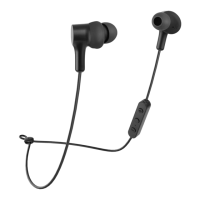
1. To connect to a Bluetooth device for the rst time, press and hold the multifunction button
(1); the earbuds will turn on (a sound will play) and will automatically enter pairing mode.
The LED indicator (5) will start ashing red-blue.
2. Now, open the Bluetooth settings on your device and select Niceboy HIVE Bones 3 from
the list of available devices.
3. The earbuds will now connect to the device. Successful pairing is indicated by an audio
signal and the LED indicator (6) will start ashing blue.
To reconnect to a previously paired device, simply turn on the earbuds by pressing the on
button (1) for 3 seconds (a sound will play) and the earbuds will reconnect automatically.
BASIC CONTROLS
Pressing down the (1) button for 3 seconds turns the earbuds on / o.
Short-pressing the (2) or (3) buttons increases or decreases volume, respectively.
Short-pressing the multifunction button (1) starts / stops playback.
Double-pressing the multifunction button (1) switches between Bluetooth mode and memory
card mode.
Double-pressing button (2) goes to the next song.
Double-pressing button (3) goes to the previous song.
Long-pressing button (2) activates voice assistants.
Long-pressing button (3) activates gaming mode.
PHONE CALLS
You can accept/end incoming calls by short-pressing the multifunction button (1). Long-
pressing the multifunction button (1) for 3 seconds during an incoming call rejects the call.
VOICE ASSISTANTS
Voice assistants are turned on by long-pressing button (2) for 3 seconds.


 To Next Page