12
EN
PACKAGE CONTENTS
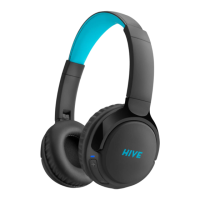
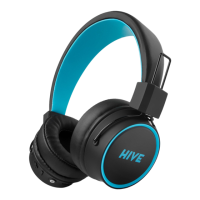
Wireless headphones
Charging USB-C cable
Directions for use
PRODUCT DESCRIPTION
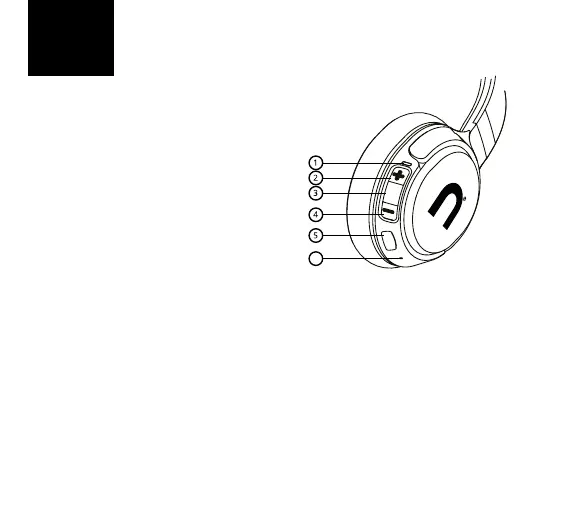
1. LED indicator
2. Increase volume/Next track
3. Multifunctional button
4. Decrease volume/Last track
5. Charging USB-C port
6. Microphone
CHARGING
We recommend to fully charge the battery before rst use of the earphones. Use the supplied
USB-C cable to charge the earphones. Maximum charging voltage and current are 5V / 1A. Charge
the earphones when the LED indicator (1) ashes red. An acoustic signal warns you about the last
several minutes of operation. It takes approximately 2 hours to fully charge the battery. During
charging, the LED indicator remains red (1) and turns o once the charging is fully completed.
POWERING ON THE HEADPHONES AND CONNECTING TO BLUETOOTH
1. Press and hold the multifunctional button until the LED indicator starts to ash blue-red
and the audio signal has sounded. The headphones can now in their pairing mode.
2. Activate Bluetooth on your device and select “Niceboy HIVE Prodigy 3 MAX” from the list
of available devices. Your device will connect to the headphones. Once the pairing is suc-
cessful, it will be announced by an audible queue and the LED indicator will begin to slowly
ash blue.
6



 To Next Page