13
EN
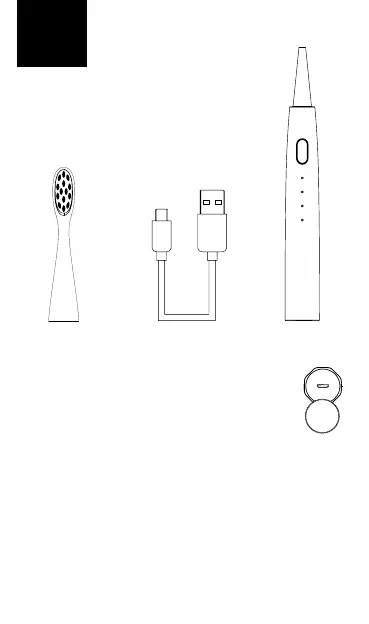
PACKAGE CONTAINS
Sonic Niceboy Lite toothbrush handle
3x brush heads (soft, medium, hard)
Wireless docking station
Micro charging cable USB
INSTRUCTIONS
1. Fully charge the toothbrush before rst use. The
charging connector can be accessed by removing
the cap on the bottom of the toothbrush.
The charging process:
• 0 % -10 %, charging indicator shows red
• 10–100 %, charging indicator shows orange
• Once charging is complete, the charging indicator shows green
Note:
If the product has not been used for a long time, the charging indi-
cator may not be displayed when charging the electric toothbrush.
To see the charging status, wait patiently for 3-5 minutes.
3x brush heads Charging USB cable body of sonic
toothbrush



 To Next Page