15
Note:
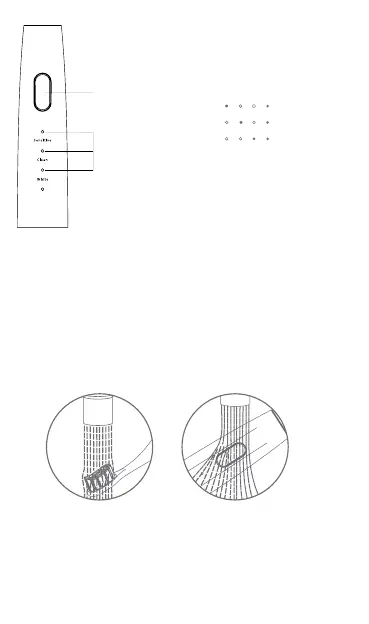
1. Sensitive mode is activated by default
2. Switching mode: within 5 seconds after switching on, briey
press the mode switch button to switch modes
3. Auto memory mode: use any mode for more than 5 seconds,
the system will record this mode. The memory mode is activa-
ted by default the next time the power is turned on.
6. After the set toothbrushing time of 2 minutes, the electric too-
thbrush automatically stops. After brushing your teeth, rinse
the brush head with running water and shake o any excess
water from the brush head and handle. Keep the toothbrush
crystals dry and store in a dry place.
Note:
1. If you want to stop the electric toothbrush in the middle of
cleaning your mouth, press the switch briey for 5 seconds
after switching on the electric toothbrush.
2. If you are not going to use it for a long time, disconnect the
charging plug and clean the brush head and handle thorough-
ly, store in a cool and dry place
3. It is recommended to replace the toothbrush head every 60 days.
Mode switch button
Mode indicator
Sensitive
Clean
White



 To Next Page