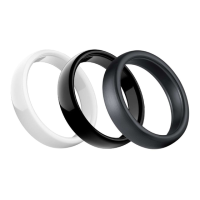
PACKAGE CONTENTS
Niceboy ONE payment ring
Instructions for use
CONNECTING TO THE APP
Install the Niceboy Pay app on your mobile phone (the app is only suppor-
ted on Android 10 and above, iOS 8.2 and above for security reasons).
Turn on the NFC function on your mobile phone.
Open the downloaded Niceboy Pay app.
1. If you have already created an account, log in with your email address
and password.
2. If you do not have an account, click on „Create an account“. Enter your
email and choose a password. Then click on register. The application
will allow you to log into your account.
Now you just need to add your wearable device. Click on „Add Device.“ Then
attach your device to your phone‘s NFC chip (for iPhones, the NFC chip is
usually on the top of the phone, see Picture 1. For Android devices, it is
most often seen in Picture 2. The exact position of your phone‘s NFC chip
may vary on dierent devices. To nd out the exact position of your phone‘s
NFC chip, contact your phone manufacturer).
After adding the device to your account, you can add your credit card or
create a business card.
EN


 To Next Page
 Loading...