6
EN
PACKAGE CONTENTS
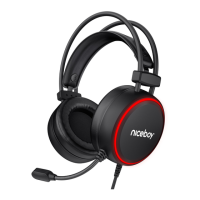
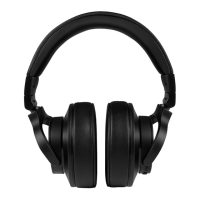
Headphones Niceboy ORYX X200
Manual
CONNECTION
Plug the headphones into your computer via the USB connector and switch to the Niceboy
Oryx (Control Panel> Sound> Set Default Playback and Recording to „Niceboy ORYX X200“)
SPECIFICATION
Impedance: 32±15 % Ω
Sensitivity: 103 ±3 dB
Frequency response: 20 Hz to 20 kHz
Operating current: ≤30 mA
Speaker unit diameter: 40 mm
Connectivity: USB 2.0
Microphone sensitivity: -42 dB ± 3 dB
Supported OS: Windows XP/Vista/WIN7/WIN8/WIN10
Cord length: 1,8 m



 To Next Page