22
DESCRIPTION AND FUNCTIONS
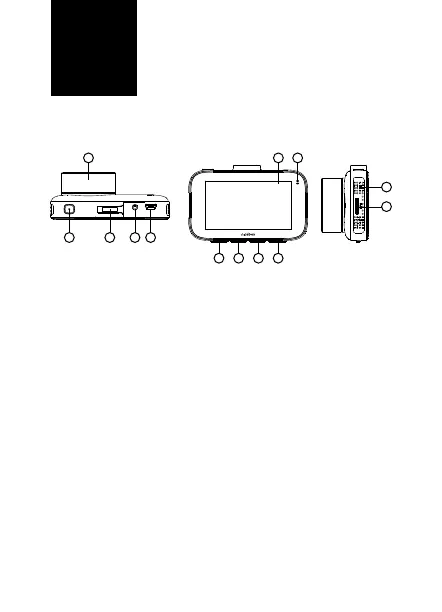
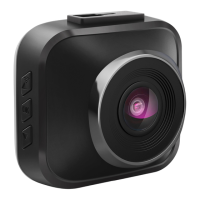
1. CameraLens - a glass camera lens for capturing video
and photos.
2. On/OButton - press and hold to turn the camera on /
o. Briey press to turn the display o / on (does not aect
the video recording). You can also reactivate the switched-
-o display by pressing any other button.
3. Holderinlet - for mounting the suction cup holder
4. Inputforservicepurposes
5. miniUSB - for connecting to the power supply and to the
PC.
6. Upbutton - for navigating the camera menu.
7. OKbutton - press to start / stop recording, or to take a
photo. Press while in the menu to conrm the selected
item.
8. Downbutton - for navigating the camera menu. Briey
press during the video recording to turn the microphone
on / o.
9. Menubutton/Changemodes/Emergencyrecording
- with an active camera that does not record video at the
moment, press briey to jump to the video / photo settings
EN
1 1011
6 7 8 9
32 4 5
12
13



 To Next Page