13
TRUE WIRELESS (TWS) CONNECTION
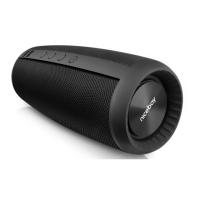
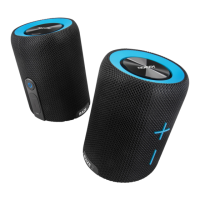
Thanks to the True Wireless (TWS) technology, you can connect two Niceboy RAZE 4
Origin loudspeakers and play music at the same time.
1. Turn both Niceboy RAZE 4 Origin loudspeakers on and make sure they are not
connected to any Bluetooth device (mobile, notebook etc.).
2. Briey press “+” (2) and “-” (4) button on one of the loudspeakers. An acoustic
prompt will announce a successful connection of loudspeakers. An LED
indicator on one of the loudspeakers (1) will remain blue while on the other
loudspeaker the LED will ash blue - this means they are in pairing mode for
Bluetooth connection.
3. Now you can open the Bluetooth settings on your device. Select “Niceboy RAZE
4 Origin” in the list of available devices. An accoustic prompt will announce a
successful pairing.
PARAMETERS
Bluetooth version: 5.0
Supported codecs: SBC
Supported proles: A2DP, AVRCP, HFP
Power output: 20W
Impedance: 6Ω
Sensitivity: >75dB
Frequency range: 70Hz– 18kHz
Bluetooth transmission distance: 10 meters
Frequency FM: 87.5MHz ~ 108MHz
Supported data devices: micro SD card, max. 32GB
Battery: Li-Ion 2000 mAh
Battery life: 20 hours (at 50% volume)
Waterproof level of protection: IP67
This product complies with all the basic requirements of relevant EU directives.



 To Next Page