13
EN
device.
3. Launch the app and follow the instructions.
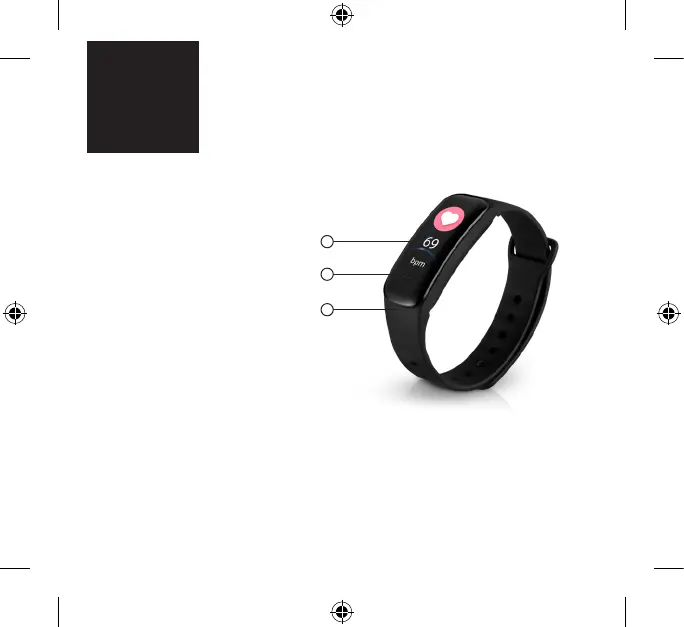
4. If the band is powered o, power it on by pressing and holding the touch key. The touch
key can be found under the display, no. 2 on the rst picture.
5. To search for the band, click the Bluetooth icon in the app and then select X-Fit Plus.
PRODUCT DESCRIPTION
1. Band
2. Touch key (press to move
between items, press and
hold to select an item)
3. Display
PAIRING THE FITNESS BAND
TO YOUR MOBILE PHONE
1. Download the Weart
application from Google
Play (supported by Android
4.5 and newer) or the App
store (supported by iOS 8.2
and newer). The application
is only accessible for mobile
devices.
2. Turn on Bluetooth on your
3
1
2



 To Next Page