1 – Technical Specifications
Power input DC 12V-18V 500Ma
DMX output 3Pin FEMALE XLR
Midi single 5Pin DIN
Fuse (internal) T-0.5A 250V 5x20MM
Dimensions : 482X264X85MM
Adaptor AC~230V 50Hz, DC 12V, 500mA
Weight 4.3 kg
2 – Controls and functions
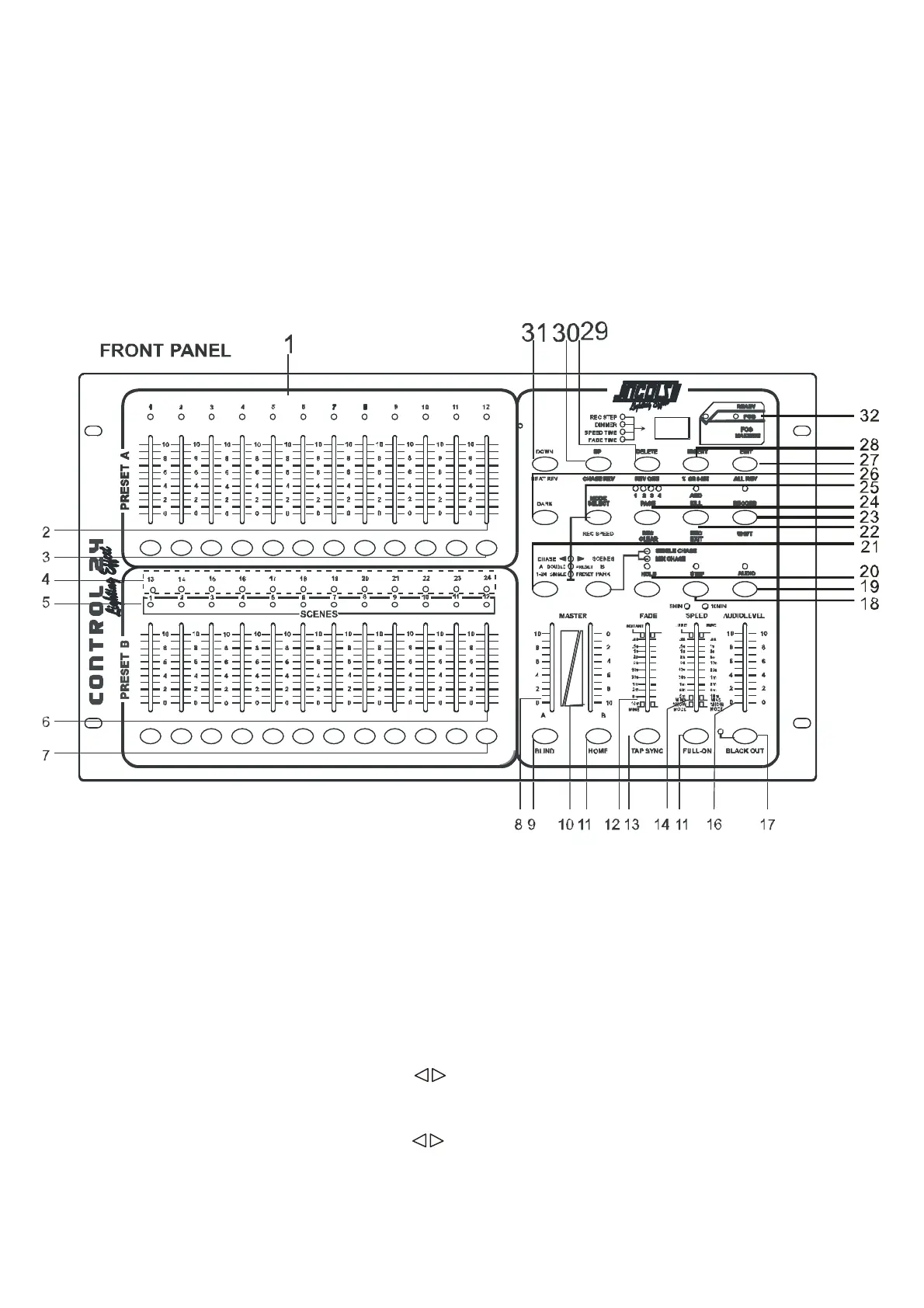
1. PRESET A LEDS.
2. CHANNEL SLIDERS 1-12: these sliders will adjust the output of 1 to 12 channels from 0 to 100 %
or 0 to 255.
3. Flash key 1-12: press to activate maximum channel output.
4. PRESET BLEDS.
5. SCENES LEDS.
6. CHANNEL SLIDERS 13-14: these sliders will adjust the output of 13 to 24 channels from 0 to
100% or 0 to 255.
7. Flash key 13-24: press to activate maximum channel output.
8. MASTER A SLIDER: the slider will adjust the output of preset A.
9. BLIND KEY: in CHASE SCENES, this key, when activated, the output of each
channel will be controlled only by slider or flash key.
10. MASTER B SLIDER: the slider will adjust the output of preset B.
11. HOME KEY: in CHASE SCENES, this key, when activated, the output of each
channel will be come back from control by slider or flash key to control by program.
12. FADE TIME SLIDER: move to adjust fade time.
13. TAP SYNC: in AUTO CHASE, press it twice to define chasing speed.


 To Next Page