
 Need help?
Do you have a question about the NICOR Prime Chime Plus PRCP2 and is the answer not in the manual?
Critical safety warnings for electricians regarding shock hazards and proper installation procedures.
Lists the items found in the box and the essential tools required for installation.
Important considerations for compatibility and wiring when used with video doorbells.
Detailed instructions for connecting wiring, securing the chime, and attaching doorbell buttons.
Instructions for connecting multiple chimes, including daisy-chaining bell wires and total length limits.
Visual guide explaining how to set chime volume and select melodies using button presses.
Details the product warranty period, coverage, and exclusions for NICOR products.
Information regarding FCC rules and limitations for the device's radio frequency emissions.
The NICOR Prime Chime Plus (Model: PRCP2) is a doorbell chime system designed for indoor use in dry and ventilated environments. It operates on a 120V AC/60Hz power supply and is intended for installation by a qualified electrician in a circuit protected by a fuse or circuit breaker. The system is designed to provide proper voltage for compatible video doorbells and can be configured for single or multiple chime installations.
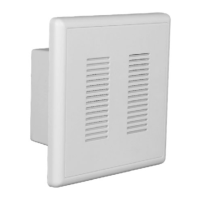
The Prime Chime Plus serves as an audible indicator for doorbell presses. It supports both standard/decorator doorbell buttons and compatible video doorbells. The system includes a chime unit and two lighted doorbell buttons, along with a hardware pack for installation. It can be configured to play different melodies for front and rear doors, and the volume of the chime can be adjusted. The device is designed to work with low voltage bell wires (18-22 gauge).
 General
| Brand | NICOR |
|---|---|
| Model | Prime Chime Plus PRCP2 |
| Category | Intercom System |
| Language | English |

 To Next Page