6
Operating Instructions
• Long press 0.5 seconds to turn on/off at any modes.
• Regular function: Med -> High -> Turbo -> Low (circle). Turn off with the memory
function, turn on at the mode that turns off the last time.
• Hidden mode: Long press 2 seconds to active Green-> Red-> Red strobe-> Med
(Regular function).
• Blink mode: press quickly 3 times to active Strobe -> SOS -> Med -> (Regular
function).
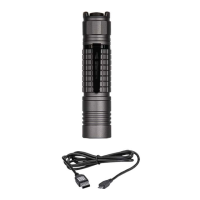
• Charging: put rechargeable battery in correct direction into torch, then plug the
USB charger, the switch red indicator blink means charging. When full charging
will turn to green.
Smart switch button charging indicator:
Red blinking
beats (times)
Battery volume indicator on smart button when using:
Caution
• Don’t light up the flashlight face to your eyes directly;
• The products are only designed to use 18650 size li-ion battery;
• Don’t throw the battery into fire or water;
• Please put in the correct polarity when charging;
• In order to protect the battery life, we suggest to charge battery every 3 months.
• Please keep the battery far away from children;
• Please go to hospital at once if eat the battery by mistake.


 To Next Page