7078 Shady Oak Road, Eden Prairie, MN 55344-3505
+1 952 995-8000 www.controltechniques.com
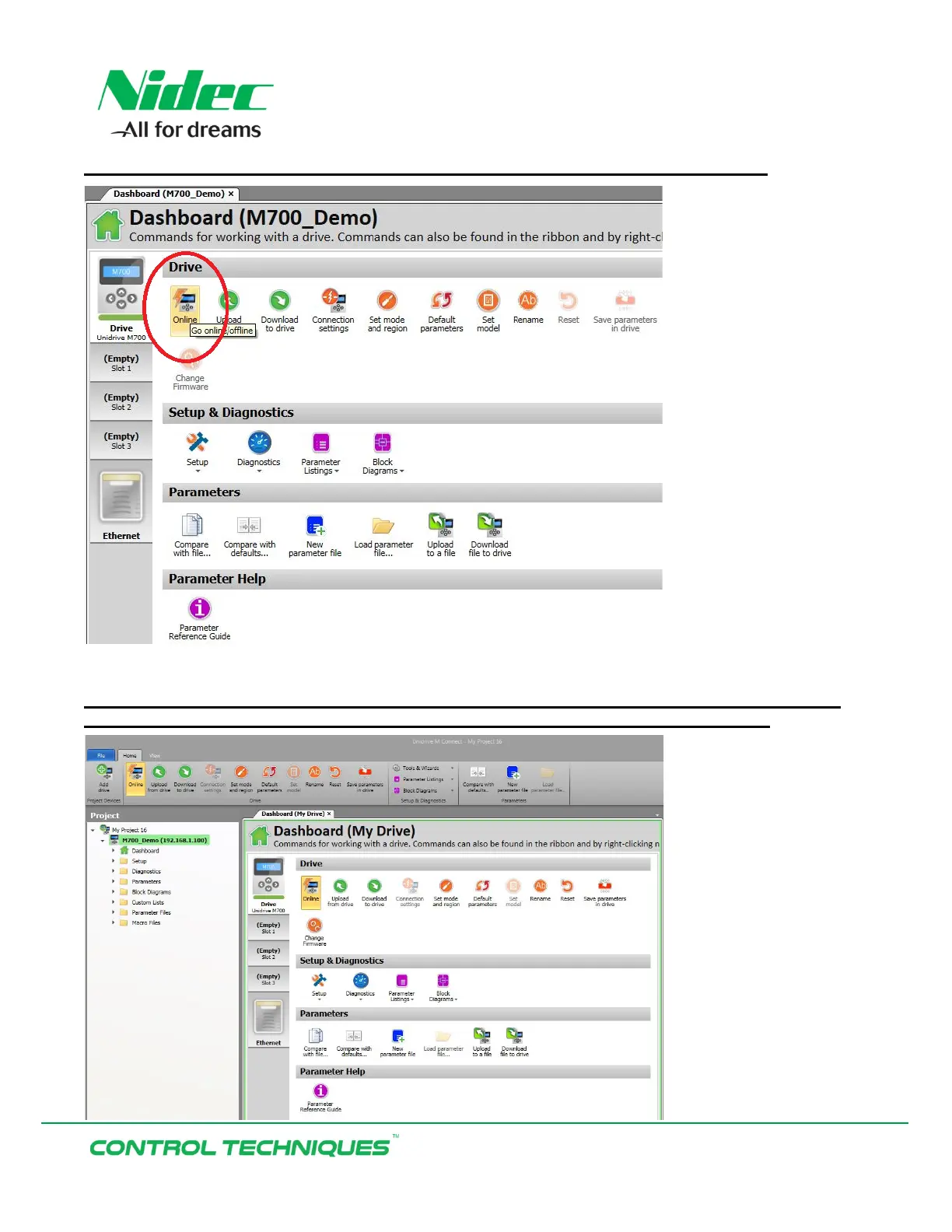
Select the ‘Drive’ Keypad Icon to go back to the Drive Dashboard and select ‘Online’:
Once successfully Online with the drive the drive name, IP address, and the Drive Dashboard
will be highlighted in Green. The ‘Online’ button will be illuminated yellow as shown:


 To Next Page