EasyManua.ls Logo

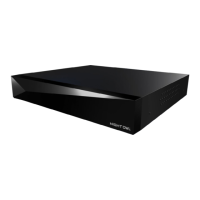
Night Owl DVR-FTD8-162 - User Manual

Night Owl DVR-FTD8-162
67 pages
Print Icon
To Next Page IconTo Next Page
Loading...
2-Way Audio DVR & Cameras
Use Existing DVR Cables*
INNOVATIVE TECHNOLOGY
2-Way Audio Recorder User’s Manual
Support.NightOwlSP.com
Question and Answer IconNeed help?

Do you have a question about the Night Owl DVR-FTD8-162 and is the answer not in the manual?

Summary

Product Model Coverage

Essential Safety Instructions

Essential Safety Instructions for Product Use

Critical safety guidelines and precautions for operating the recorder and its components to ensure user safety.

Initial Setup Guide

Download and Set Up Night Owl Protect App

Guide for downloading and creating an account for the Night Owl Protect mobile application.

Recorder Hardware Ports and Connections

Detailed description of the recorder's rear panel ports including Video In, HDMI, USB, and LAN.

Connecting System Hardware Components

Step-by-step guide for connecting the recorder to a TV/monitor and USB mouse for initial setup.

System Configuration and Setup Options

Covers system configuration methods, including Bluetooth® Wireless Setup and Manual Setup.

Camera Installation and Planning

Guidelines for planning camera placement and steps for physically mounting the cameras.

Wi-Fi Device Connectivity and Compatibility

Connecting Wi-Fi Devices to Your System

Steps for adding Wi-Fi IP cameras or Smart Video Doorbells using the Night Owl Protect App.

System Access and Login Procedures

Accessing the System via TV or Monitor

Guidance on accessing system features and settings using a connected TV or monitor.

Logging In with Night Owl Protect Account

Procedure for logging into the recorder using credentials from the Night Owl Protect mobile app.

Logging In with a Local Password

Instructions for logging into the recorder using a password created during initial setup.

Live View and Navigation Bar Functions

Live View Navigation Bar Functions

Overview of the quick access functions available on the live view navigation bar.

Recording Management and Playback

Navigating and Filtering Playback Recordings

Guide to searching, filtering, and reviewing recorded events using the playback interface.

Exporting and Storage Procedures

Exporting Recordings for Long-Term Storage

Instructions for saving recorded footage to external devices for archival purposes.

Saving Recordings to External Storage Devices

Procedure to locate, select, and export specific recorded events to a connected storage device.

System Information and Settings Configuration

Firmware Update and Management

Checking for and updating the recorder's firmware for optimal performance and support.

Camera Settings and Customization

Account and Storage Management

Diagnostics and Network Settings

System Reset and Security Procedures

Password Reset and Recovery Procedures

Comprehensive guide to resetting passwords via the app, web portal, or for offline recorders.

Local Password Recovery for Offline Recorders

Steps to recover a local password when the recorder is not connected to the internet.

Summary

Product Model Coverage

Essential Safety Instructions

Essential Safety Instructions for Product Use

Critical safety guidelines and precautions for operating the recorder and its components to ensure user safety.

Initial Setup Guide

Download and Set Up Night Owl Protect App

Guide for downloading and creating an account for the Night Owl Protect mobile application.

Recorder Hardware Ports and Connections

Detailed description of the recorder's rear panel ports including Video In, HDMI, USB, and LAN.

Connecting System Hardware Components

Step-by-step guide for connecting the recorder to a TV/monitor and USB mouse for initial setup.

System Configuration and Setup Options

Covers system configuration methods, including Bluetooth® Wireless Setup and Manual Setup.

Camera Installation and Planning

Guidelines for planning camera placement and steps for physically mounting the cameras.

Wi-Fi Device Connectivity and Compatibility

Connecting Wi-Fi Devices to Your System

Steps for adding Wi-Fi IP cameras or Smart Video Doorbells using the Night Owl Protect App.

System Access and Login Procedures

Accessing the System via TV or Monitor

Guidance on accessing system features and settings using a connected TV or monitor.

Logging In with Night Owl Protect Account

Procedure for logging into the recorder using credentials from the Night Owl Protect mobile app.

Logging In with a Local Password

Instructions for logging into the recorder using a password created during initial setup.

Live View and Navigation Bar Functions

Live View Navigation Bar Functions

Overview of the quick access functions available on the live view navigation bar.

Recording Management and Playback

Navigating and Filtering Playback Recordings

Guide to searching, filtering, and reviewing recorded events using the playback interface.

Exporting and Storage Procedures

Exporting Recordings for Long-Term Storage

Instructions for saving recorded footage to external devices for archival purposes.

Saving Recordings to External Storage Devices

Procedure to locate, select, and export specific recorded events to a connected storage device.

System Information and Settings Configuration

Firmware Update and Management

Checking for and updating the recorder's firmware for optimal performance and support.

Camera Settings and Customization

Account and Storage Management

Diagnostics and Network Settings

System Reset and Security Procedures

Password Reset and Recovery Procedures

Comprehensive guide to resetting passwords via the app, web portal, or for offline recorders.

Local Password Recovery for Offline Recorders

Steps to recover a local password when the recorder is not connected to the internet.

Night Owl DVR-FTD8-162 Specifications

General IconGeneral
BrandNight Owl
ModelDVR-FTD8-162
CategoryRecording Equipment
LanguageEnglish

Related product manuals