2.Package Contents4.Setup Guide
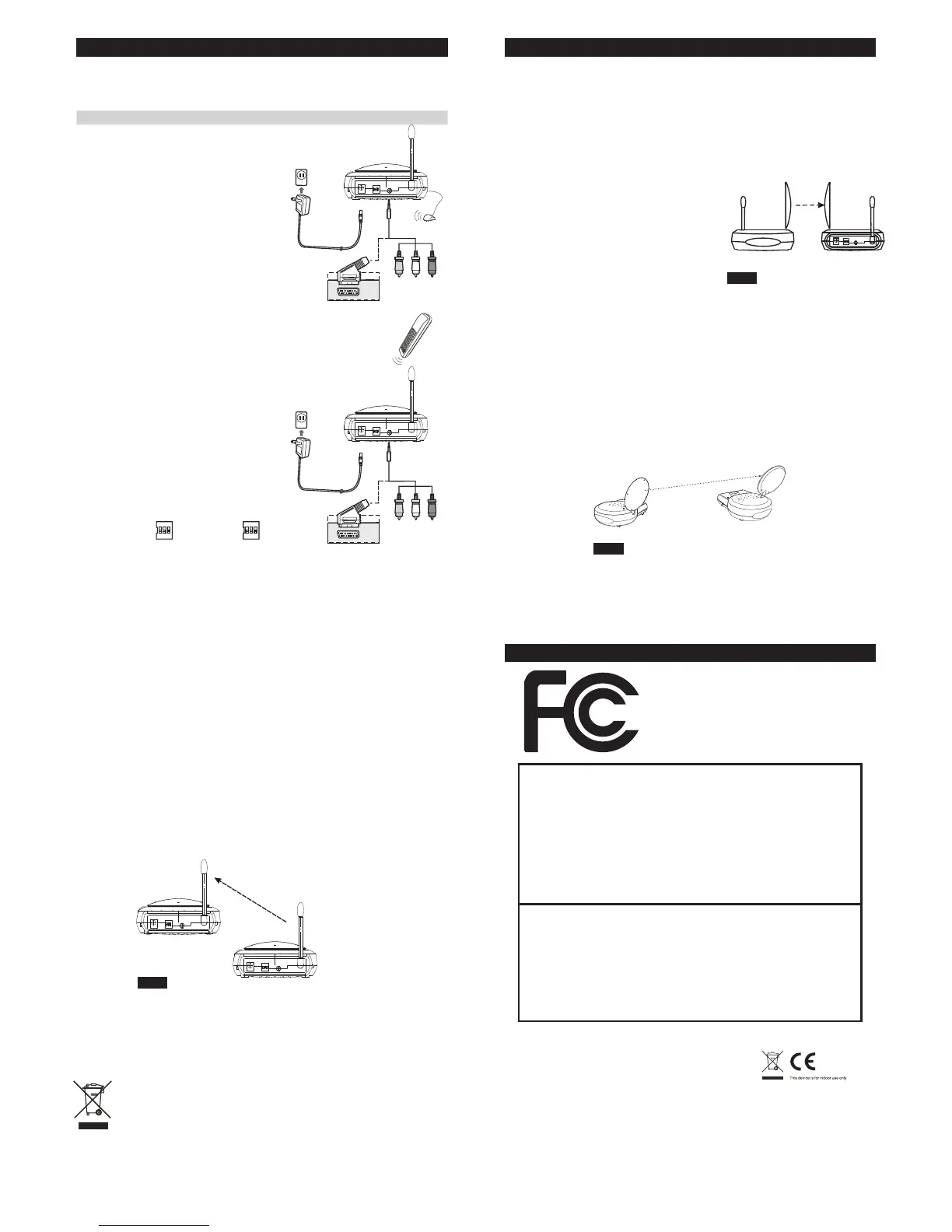
1. Connect one end of the RCA cable
(or scart cable) to the audio and video
jacks, and connect the other end to a
source device as well.
2. Connect the DC plug of the adapter
to the DC jack, and connect the power
supply to an outlet.
3. Keep the IR window oriented toward
the source AV equipment, or
alternatively use the IR Mouse to
remotely control it.
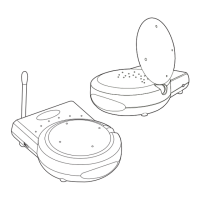
2.Package Contents
Not e: Mak e su re the ON/OFF swi tch is in the OFF pos ition bef or e co nne ction「 」
Trans mitte r
OUT
IR cable LED
Transmitter
Remote
Controller
IN
Receiver
1. Connect one end of the RCA cable
(or scart cable) to the audio and video
jacks, and connect the other end to a
TV (or monitor, speakers) on which
you like to enjoy a program.
2. Connect the DC plug of the adapter
to the DC jack, and connect the power
supply to an outlet.
3. Keep the IR window oriented toward
your remote controller.
To enjoy a life of wireless video and audio, just connect the
transmitter to whatever A/V source you like and connect the
receiver to a TV, monitor or speaker in another location.
4
To AV Equipment
Receiver
To TV
* A complete set-up procedure consists of:
1. Press “CH” button on receiver, receiver
will make transmitter switch to the same
channel.
2. Make sure the ID on transmitter and
receiver is identical (For example, as exhibit
Transmitter: Receiver: )
whenever there is problem with installation, please implement the set-up
procedure again.
1 2 3
ON
ID 1
1 2 3
ON
ID 1
Rec eiver
Trans mitte r
5.Orient Transmitter/Receiver for optimal performance
5
For optimal performance, both the audio/video and remote
control antennas should be carefully oriented as described
below. For maximum transmitting range, try to minimize
obstacles (e.g. your TV or other electronics, large furniture)
where between the transmitter and receiver.
Orients the 5.8GHz A/V Antennas
5.8GHz Antenna
5.8GHz Antenna
Trans mitte r
Receiver
5.8GHz Antenna
5.8GHz Antenna
Fig. 1
Fig. 2
The system delivers high-quality
audio and video by using directional
antennas, which must be oriented
to get the best results.
The antennas are designed to
be able to rotate in almost any
direction.
In most situations, the convex
of the antennas on both the
transmitter and receiver should be facing one another and
perpendicular (at a right angle) to an imaginary line drawn
between the two units. Two examples are shown as Fig.1,
Fig.2. Since all homes are different, for optimal reception,
additional alignment may be necessary.
If the transmitter and receiver are less than 10 feet apart,
suggest to lie the antennas on their casings since the distance
is so short.
6
Orients the UHF Antennas
In order to obtain optimal performance of the remote control
extender, the remote control antennas should also be oriented
at a right angle to an imaginary line drawn between the
transmitter and receiver.
If your remote control extender is not working satisfactorily,
rotate the remote control antenna on either the transmitter or
receiver 90 degrees so that it is still perpendicular to the path
between the units.(See Fig.3)
IF you notice improved performance, keep this orientation.
Rotating the antenna on both units should have no effect.
Receiver
Fig. 3
Trans mitte r
UHF An tenna
UHF An tenna
WEEE Directive & Product Disposal
At the end of its serviceable life, this product should
not be treated as household or general waste. It
should be handed over to the applicable collection
point for the recycling of electrical and electronic
equipment, or returned to the supplier for disposal.
TTA-A5805T
TTA-A5805R
FCC Statement
This device complies with part 15 of the FCC rules.
Operation is subject to the following two conditions:
(1) this device may not cause harmful interference,
and (2) this device must accept any interference
received, including interference that may cause
undesired operation.
Note:
This equipment has been tested and found to comply with the limits regulated
by FCC and CE. These limits are designed to provide reasonable protection
against harmful interference in a residential installation. This equipment
generates, uses and can radiate radio frequency energy and, if not installed
and used in accordance with the instruction, may cause harmful interference to
radio communications. The change or modifcations not expressly approved by
the party responsible for compliance could void the user’s authority to operate
the equipment. To comply with the FCC RF exposure compliance requirements,
no change to the antenna or the device is permitted. Any change to the antenna
or the device could result in the device exceeding the RF exposure requirements
and void user’s authority to operate the device.
Industry Canada Statement
This device complies with Industry Canada licence-exempt RSS standard(s).
Operation is subject to the following two conditions: (1) this device may not cause
interference, and (2) this device must accept any interference, including interference
that may cause undesired operation of the device.
Le présent appareil est conforme aux CNR d'Industrie Canada applicables aux
appareils radio exempts de licence. L'exploitation est autorisée aux deux conditions
suivantes : (1) l'appareil ne doit pas produire de brouillage, et (2) l'utilisateur de
l'appareil doit accepter tout brouillage radioélectrique subi, même si le brouillage
est susceptible d'en compromettre le fonctionnement.


 To Previous Page
 Loading...