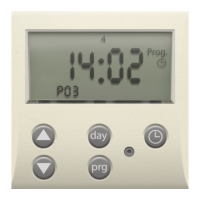
Need help?
Do you have a question about the Niko 05-200 and is the answer not in the manual?
Details power supply, bus coupling function, wiring specifications, and bus voltage.
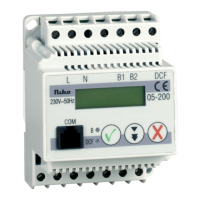
Covers DCF-77 antenna coupling for synchronization and RJ12 for PC/modem connection.
Describes LC-display, dimensions, mounting, weight, ambient temperature, voltage interruption, and bus activity.
Lists compliance with European standards EN50090-2-2 and EMC emission EN55015.
Explains polarized bus connection, atomic clock receiver connection, and functions of push buttons.
Details symbols on the display and the meaning of various LED indicators.
Provides instructions on navigating the device menu and general operation principles.
Covers initial device startup, test sequence, and the procedure for setting the time.
Details how to set the date and adjust for summer/winter time changes.
Explains how the PC-Link transmits its address to the Nikobus system for identification.
Covers error detection, common error codes, and management of the memory function.
Specific instructions for switching the memory function ON or OFF.
Outlines the connection method between the PC and PC-Link using a serial port and relevant connectors.
Lists crucial warnings regarding power connections, polarity, modem usage, and PC connectivity.
Covers installation requirements by qualified persons and adherence to statutory regulations.
Details the warranty period, consumer obligations for reporting defects, and liability limitations.
 General
| Brand | Niko |
|---|---|
| Model | 05-200 |
| Category | Control Unit |
| Language | English |

 To Next Page