
 Need help?
Do you have a question about the Niko D7200 and is the answer not in the manual?
Explains Programmed, Shutter-priority, Aperture-priority, and Manual shooting modes.
Details how to select aperture using the sub-command dial and exposure meters.
Guides on adjusting ISO sensitivity via button and command dial.
Covers AF-A, AF-S, AF-C, and Manual focus modes for different subjects.
Explains choosing autofocus points, including dynamic area and 3D tracking.
Describes how to use Continuous High Speed (CH) and Continuous Low Speed (CL).
Details the procedure for setting and using the self-timer.
Explains how to choose between Matrix, Center-weighted, and Spot metering.
Covers setting and restoring exposure compensation values.
Guides on setting white balance using the WB button and command dial.
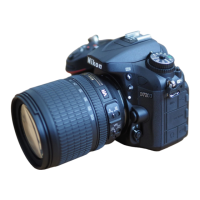
This manual provides a comprehensive guide to operating a Nikon D7200 camera, detailing various settings and modes to help users capture desired images. It covers essential functions from basic shooting modes to advanced exposure and focusing controls, ensuring photographers can effectively utilize the camera's capabilities.
The Nikon D7200 offers a range of shooting modes, including Programmed auto (P), Shutter-priority auto (S), Aperture-priority auto (A), and Manual (M). These modes allow users to control different aspects of exposure. In Programmed auto, the camera automatically sets both shutter speed and aperture for balanced exposure. Shutter-priority auto allows the user to set the shutter speed, with the camera adjusting the aperture to achieve correct exposure, ideal for controlling motion blur or freezing action. Aperture-priority auto lets the user select the aperture, while the camera sets the shutter speed, useful for controlling depth of field. Manual mode provides full control over both shutter speed and aperture, offering maximum creative flexibility.
The camera also features various autofocus modes to suit different shooting scenarios. Auto-servo AF (AF-A) automatically selects between single-servo and continuous-servo autofocus based on whether the subject is stationary or moving. Single-servo AF (AF-S) is designed for stationary subjects, locking focus once the shutter-release button is pressed halfway. Continuous-servo AF (AF-C) is ideal for moving subjects, continuously adjusting focus as long as the shutter-release button is pressed halfway. For complete manual control, the Manual focus (MF) mode allows users to adjust focus manually.
Metering modes determine how the camera measures the brightness of a scene to set exposure. The D7200 includes Matrix metering, which measures the entire frame for a balanced exposure, Center-weighted metering, which gives priority to the center of the frame, and Spot metering, which measures a very small area around the selected focus point, useful for precise exposure control in challenging lighting conditions.
To select a shooting mode, users rotate the mode dial, which clearly indicates P, S, A, and M options, along with other settings like effects and scene modes. This intuitive dial ensures quick and easy mode changes.
Aperture settings are adjusted by rotating the sub-command dial while the exposure meters are active. This allows for precise control over depth of field and light intake. The current aperture value is displayed on the control panel and in the viewfinder, providing immediate feedback.
ISO sensitivity, which determines the camera's sensitivity to light, can be adjusted by pressing the ISO button and rotating the main command dial. This allows users to manage image noise in various lighting conditions. The selected ISO value is shown on the control panel and in the information display, and the camera also offers an Auto ISO sensitivity control for automatic adjustment.
Focus mode selection involves pressing the AF-mode button and rotating the main command dial. The chosen focus mode, such as AF-A, AF-S, AF-C, or MF, is displayed in the viewfinder or on the control panel. This allows photographers to quickly adapt to different subject types and movements.
Focus point selection is similarly managed by pressing the AF-mode button and rotating the main command dial. The D7200 offers several AF-area modes, including Single-point AF, 9-point dynamic-area AF, 21-point dynamic-area AF, 39-point dynamic-area AF, 3D-tracking, and Auto-area AF. These options provide flexibility in how the camera focuses, from precise single-point focusing to tracking moving subjects across the frame. The selected AF-area mode is indicated on the control panel and in the viewfinder.
For capturing sequences of images, the camera supports continuous shooting modes: CH (continuous high speed) and CL (continuous low speed). To activate these, users press the release mode dial lock release and turn the release mode dial to the desired setting. This feature is essential for capturing fast-paced action or ensuring a perfect shot from a series.
The self-timer mode allows for delayed shutter release, useful for self-portraits or group photos where the photographer wants to be in the shot. To use it, the release mode dial lock release is pressed, and the release mode dial is rotated to the self-timer icon. After pressing the shutter-release button halfway to focus, pressing it fully initiates the timer. The self-timer lamp blinks to indicate the countdown and stops blinking two seconds before the photo is taken, with the shutter releasing ten seconds after the timer starts.
Metering mode selection is done by pressing the metering button and rotating the main command dial. The chosen metering option (Matrix, Center-weighted, or Spot) is displayed on the control panel, enabling users to select the most appropriate method for their scene.
Exposure compensation allows users to intentionally over- or under-expose an image. This is achieved by pressing the exposure compensation button and rotating the main command dial. The desired value is shown on the control panel or in the viewfinder. Normal exposure can be restored by setting the compensation to ±0. This setting is not reset when the camera is turned off, ensuring consistency across shooting sessions.
White balance, which adjusts the color cast of an image to match the light source, is set by pressing the WB button and rotating the main command dial. The selected white balance setting is displayed on the control panel, allowing users to achieve accurate colors in various lighting conditions, from daylight to artificial light.
The manual does not explicitly detail maintenance features such as cleaning or battery care. However, the clear and organized presentation of operational controls implies that proper handling and understanding of these settings contribute to the longevity and optimal performance of the camera. Regular use of the various modes and settings, as outlined, ensures that the camera's functions are exercised and understood, which is a form of operational maintenance. The persistent nature of the exposure compensation setting, for instance, suggests that users should be mindful of their settings to avoid unexpected results, which can be seen as a user-driven maintenance of camera state.
 General
| Model | Nikon D7200 |
|---|---|
| Category | Digital Camera |
| Type | DSLR |
| Sensor Type | CMOS |
| Sensor Size | APS-C (23.5 x 15.6 mm) |
| Sensor Resolution | 24.2 MP |
| Effective Pixels | 24.2 MP |
| Image Processor | EXPEED 4 |
| Autofocus Points | 51 |
| Continuous Shooting Speed | 6 fps |
| LCD Screen Size | 3.2 inches |
| LCD Screen Resolution | 1, 229, 000 dots |
| Viewfinder Coverage | 100% |
| Battery | EN-EL15 |
| Dimensions | 135.5 x 106.5 x 76 mm |
| Wireless Connectivity | Wi-Fi, NFC |
| ISO Range | 100-25600 |
| Video Resolution | 1920 x 1080 (Full HD) at 60/50/30/25/24 fps |
| Storage Media | SD, SDHC, SDXC |
| Battery Life | 1110 shots (CIPA) |
| Weight | 765 g |

 To Next Page