CaptureNX-D Reference Manual
3
Introduction Viewing Pictures Filters Image Adjustment Other Features Menu Guide
What CaptureNX-D Can Do for You
Retouching Pictures in CaptureNX-D
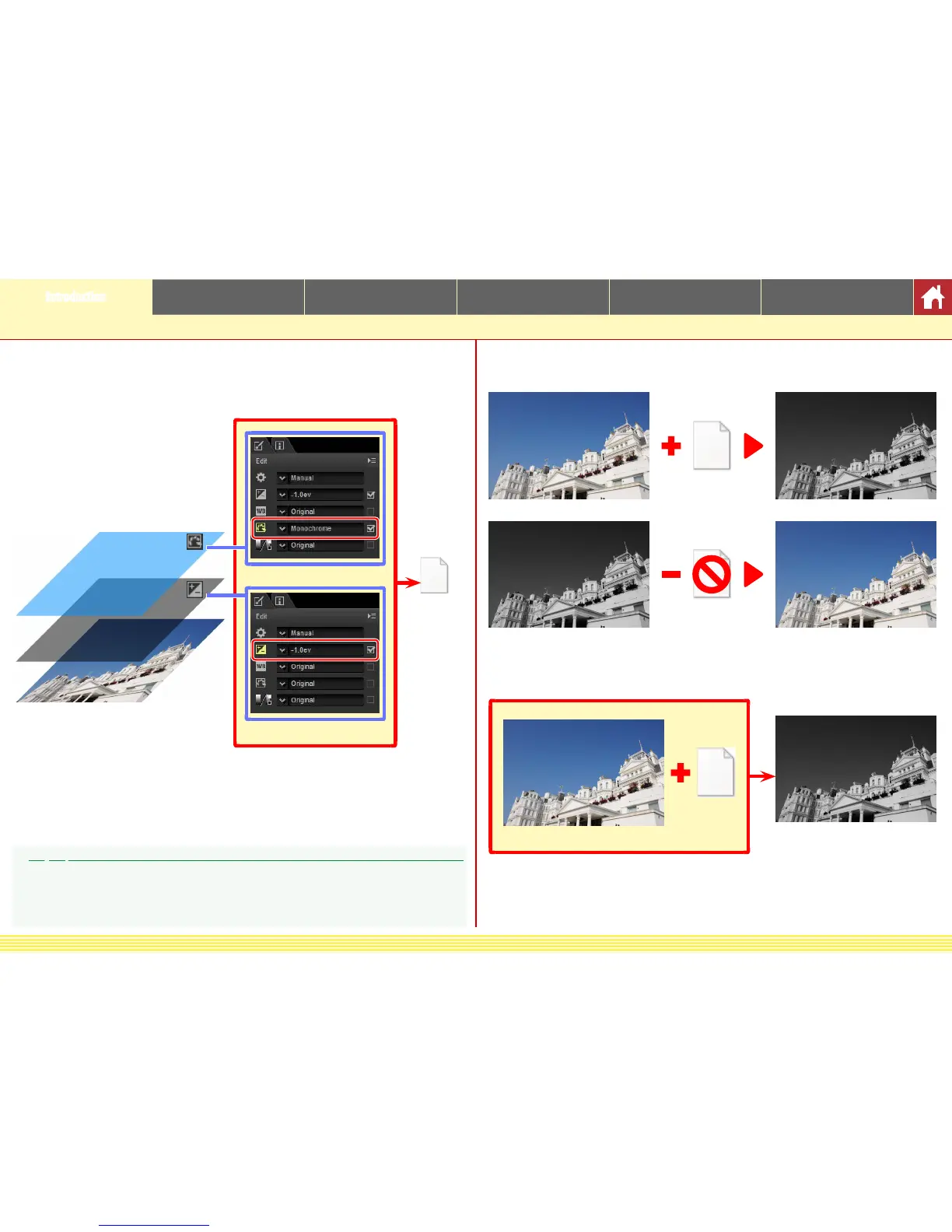
CaptureNX-D stores image adjustments in a separate “sidecar” le that is up-
dated automatically as settings are changed.
Image data
Picture Control settings
Exposure compensation
Settings le
Because changes to settings are stored separately from the original image data,
the original picture can be restored at any time with no drop in quality.
Original image
Settings
Retouch preview
Retouch preview
Settings le deleted or
settings reset
Original image
When les are converted to JPEG or TIFF, the changes are applied to the image as
it is saved to create a new, modied image data le.
Settings
Original image
JPEG or TIFF le
Image Adjustments
Image adjustments are stored in a “NKSC_PARAM” folder in the same folder as the original image. All
changes will be lost if this folder or the image adjustment le is deleted; similarly, because the image
and the image adjustment le are linked via the le name, changes will be lost or applied to another
image if the image adjustment le is renamed.











 To Next Page