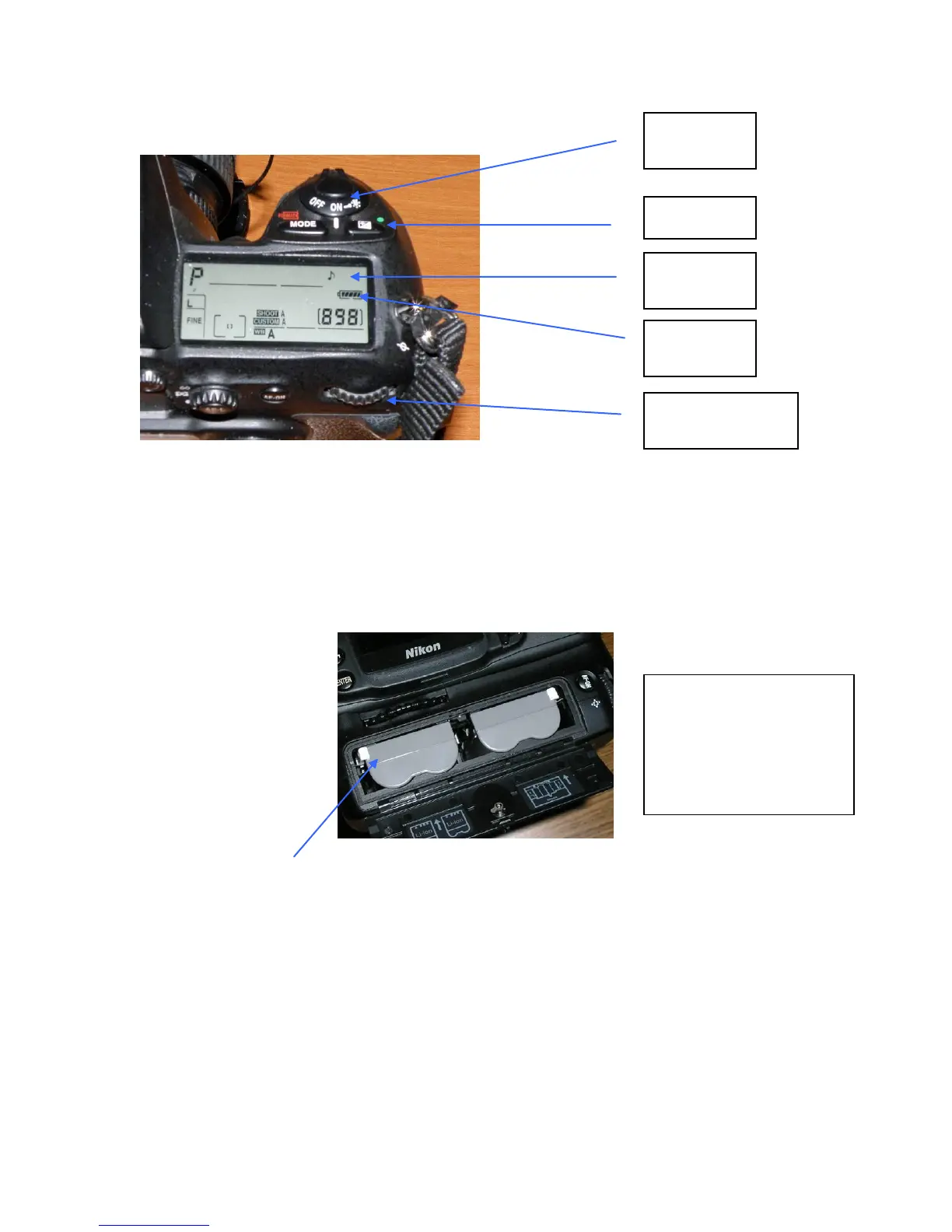
Turn Camera on – See shutter switch on top right of camera
Look at the LCD display on the top-right of the camera. The battery symbol on the right
side of the display should be fully grayed in indicating fully charge batteries. If not fully
charged, remove batteries and charge before the mission. The figure 898 indicates the
number of photos remaining on the camera’s memory card. This number will vary
depending upon camera settings and the number of photos still on the memory card.
Note: a reading of 1.7k means 1700 photos remaining.
Camera Battery Compartment – Push white tab away from battery to release
Erase camera memory
Push Menu button (left back of camera near top of display)
Select Playback Menu using cursor control (to right of display at top)
Select Delete
Push right cursor button
Select All
Select Yes
Push Enter button (lower left of display)
Note: if the memory was erased by the last user, the above steps will not be possible!
Battery Compartment is
located on the bottom of
the camera. Access is
from the rear of the
camera.



 To Next Page