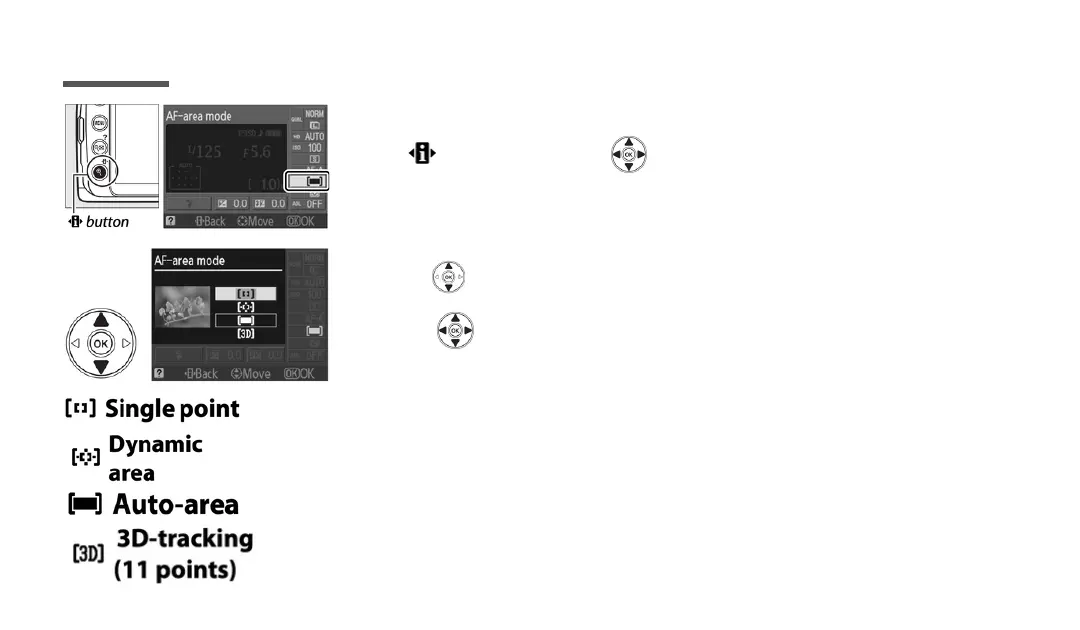
Press button and the to display the current AF-area mode
(focus point).
Use the to highlightyour desired setting and press OK.
FOCUS POINT
Page 7
Copyright 2020
- User selects the single focal point for the camera to focus on.
- User Selects the focal point and camera uses the focal points around
the selection to focus.
- Camera automatically selects the subject and focuses on it.
- User selects the focus point and camera will maintain focus on the
subject if the subject moves before the shutter is released.
Use the button to move focus point in the viewfinder
or on the LCD screen.



 To Next Page