EasyManua.ls Logo

Nikon D3300 - Page 38

Nikon D3300
541 pages
Print Icon
To Next Page IconTo Next Page
To Previous Page IconTo Previous Page
Loading...
20
II
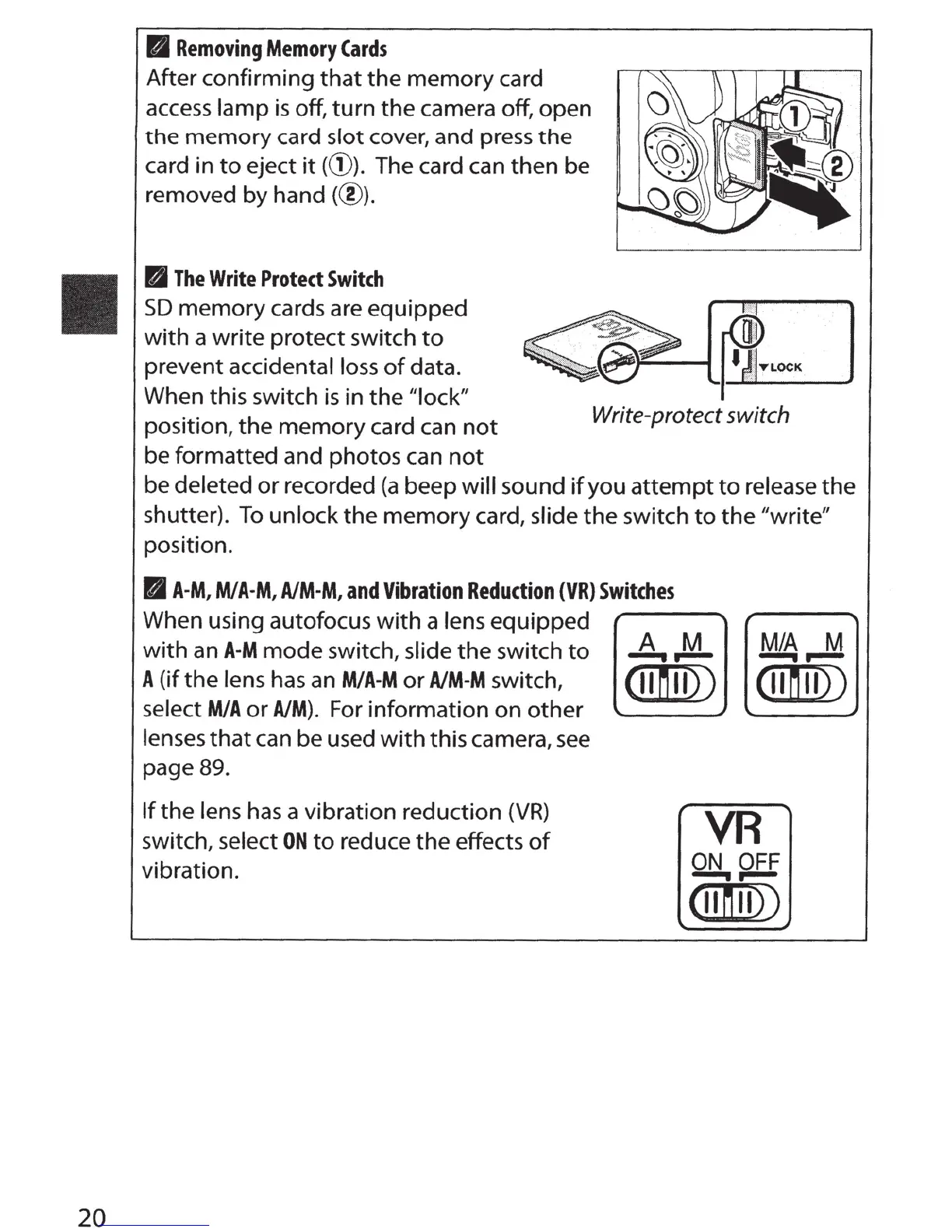
Removing
Memory
Cards
After
confirming
that
the
memory
card
access
lamp
is off,
turn
the
camera off,
open
the
memory
card
slot
cover,
and
press
the
card
in
to
eject
it((!)).
The card can
then
be
removed
by
hand(@)
.
B
The
Write
Protect
Switch
SD
memory
cards are
equipped
with
a
write
protect
switch
to
prevent
accidental loss
of
data.
When
this
switch is
in
the
"lock"
position,
the
memory
card can
not
be
formatted
and
photos
can
not
,_____....
~-LOC-K
-J
Write-protect switch
be
deleted
or
recorded
(a
beep
will
sound
if
you
attempt
to
release
the
shutter).
To
unlock
the
memory
card, slide
the
switch
to
the
"write"
position.
BA-M,
M/A-M,
A/M-M,
and
Vibration
Reduction
(VR)
Switches
When using autofocus
with
a lens
equipped
with
an
A-M
mode
switch, slide
the
switch
to
A
(if
the
lens has an
M/A-M
or
A/M-M
switch,
select
MIA
or
AIM).
For
information
on
other
lenses
that
can
be
used
with
this
camera, see
page 89.
If
the
lens has a
vibration
reduction
(VR)
switch, select
ON
to
reduce
the
effects
of
vibration.
M/A
M
--..--
A M
--..--
cunu))
(11
n u))
VR
ON
OFF
--..--
(11
n u))

Table of Contents

Other manuals for Nikon D3300

Related product manuals