EasyManua.ls Logo

Nikon D3300 - Page 64

Nikon D3300
541 pages
Print Icon
To Next Page IconTo Next Page
To Previous Page IconTo Previous Page
Loading...
46
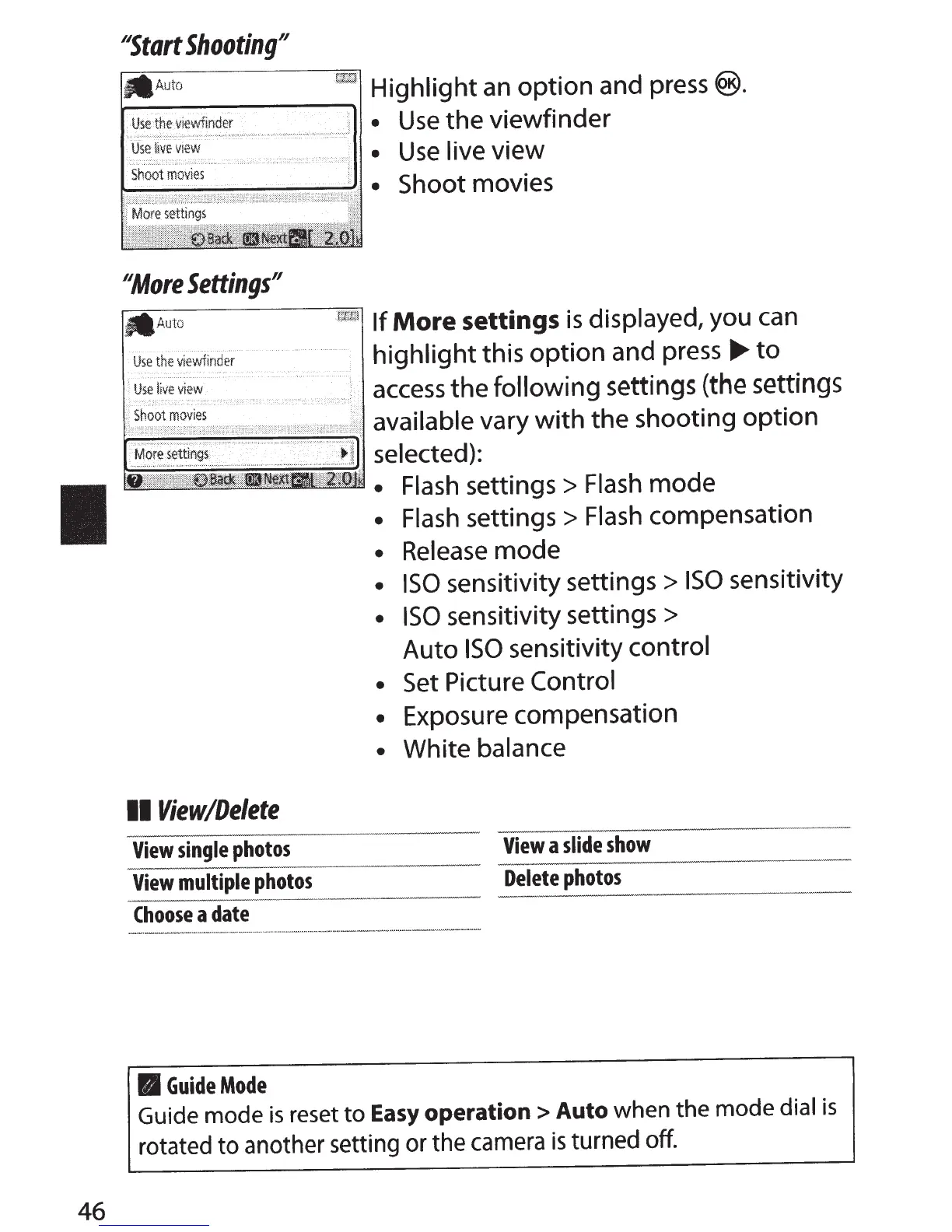
NStart
Shooting"
~--------------1
Highlight
an
option
and
press®.
Use
the viewfinder
.....
...
::.:
..
.
··
'·<
•!
Use
live view
~~0Diii&iiii?iii%~~
1
Shoot
movies
#More
Settings"
-
Auto
Use
the
viewfinder
rwitl
If
More
settings
is
displayed,
you can
highlight
this
option
and press
...,.
to
access
the
following
settings
(the
settings
~~~~~~~~;I
available
vary
with
the shooting
option
selected):
Flash
settings
>
Flash
mode
Flash
settings
>
Flash
compensation
Release
mode
ISO
sensitivity settings
>
ISO
sensitivity
ISO
sensitivity settings
>
Auto
ISO
sensitivity
control
Set Picture
Control
Exposure compensation
White
balance
II
View/Delete
View
single
photos
View
a
slide
show
View
multiple
photos
Delete
photos
Choose
a
date
II
Guide
Mode
Guide mode
is
reset
to
Easy
operation
>Auto
when the mode dial
is
rotated
to
another setting
or
the camera
is
turned off.

Table of Contents

Other manuals for Nikon D3300

Related product manuals