EasyManua.ls Logo

Nikon D3300 - Page 66

Nikon D3300
541 pages
Print Icon
To Next Page IconTo Next Page
To Previous Page IconTo Previous Page
Loading...
48
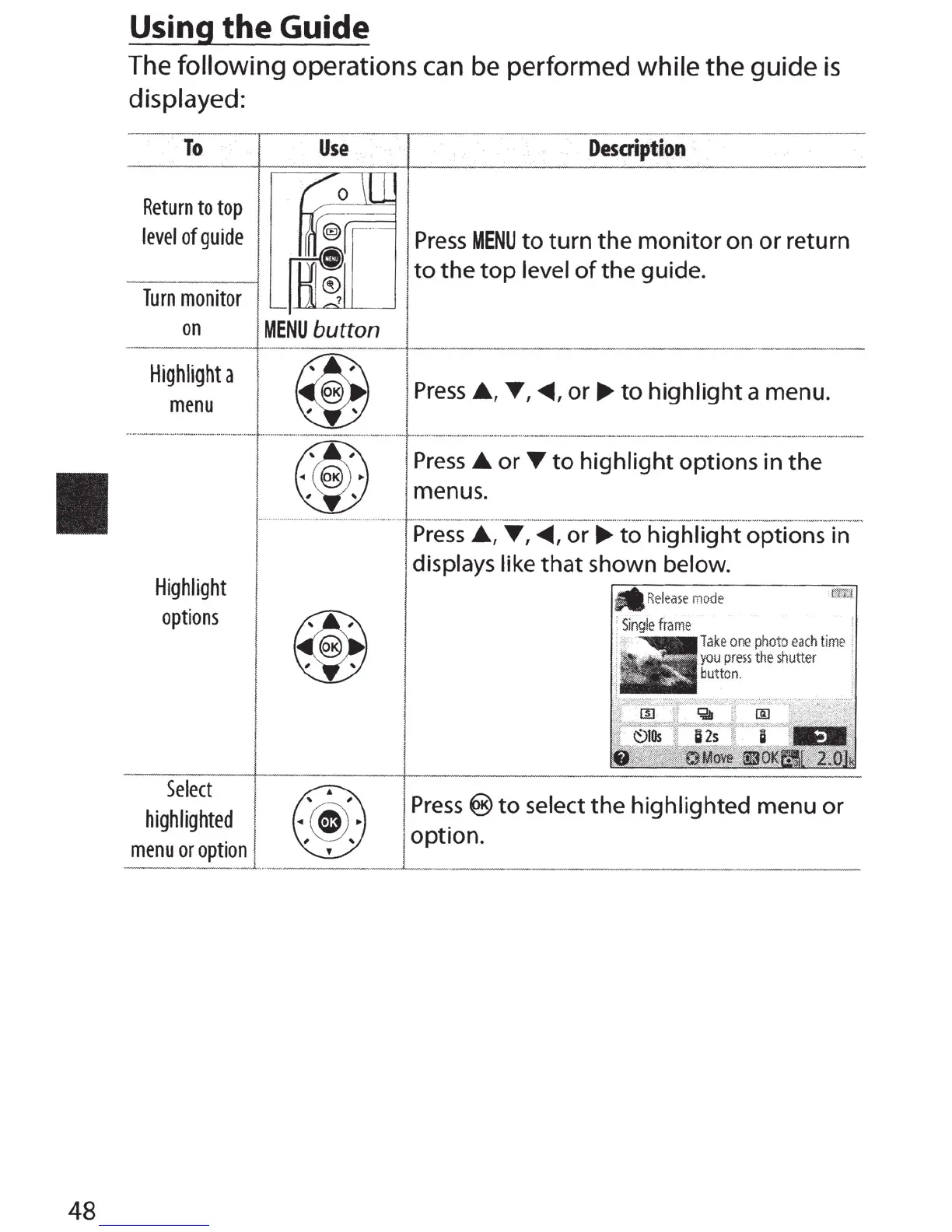
Using
the
Guide
The
following
operations can be
performed
while
the
guide
is
displayed:
To
Return
to
top
level
of
guide
Turn
monitor
on
Highlight
a
menu
Use
Desaiption
~
·
Press
MENU
to
turn
the
monitor
on
or
return
~
~
to
the
top
level
of
the
guide.
~eNu
b:tton
L
___
_
~
I
Press
.A.,
'f',
<0111,
or.,..
to
highlight
a menu.
........
--·-··
····
·
...
-
··
·
·-
·
-
·~·
· · ·
··--·
·
-
...
...
......
.
....
~.--
...
- ·
--
··
······
....
---
·
··
·
··
··
...
.
......
.
..
....
.
..
.
--
·
··-···
·
.....
.
.........
.
.....
.
..
.._
.......
..
.............
.
-.-------···-
..
-----··
·-
.......
_ .. _
..
.
....
.
...
.
.....
.
...
.. -..
....
.
..
--
.....
.
..
_.
__
___
.....,
__
Highlight
options
Select
highlighted
menu
or
option
Press_.
or
T
to
highlight
options in the
menus.
Press_.,
T , ~
'
or.,..
to
highlight options in
displays like
that
shown below.
Single
frame
·
Take
one
photo
ea
ch ti
me
:
y
ou
press
the
shutter
button
.
Press®
to
select
the
highlighted menu
or
option.

Table of Contents

Other manuals for Nikon D3300

Related product manuals