EasyManua.ls Logo

Nikon D3300 - Page 81

Nikon D3300
541 pages
Print Icon
To Next Page IconTo Next Page
To Previous Page IconTo Previous Page
Loading...
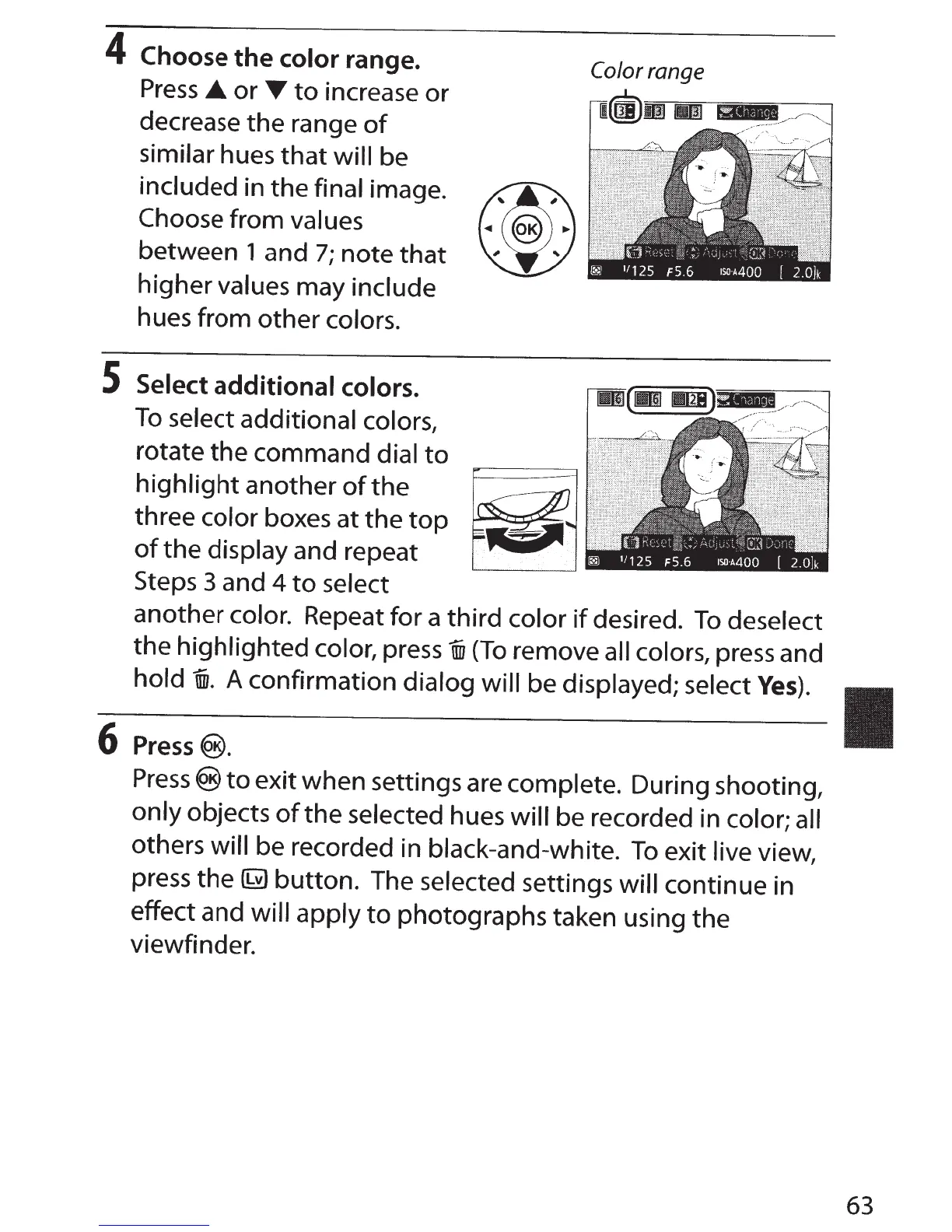
4
Choose
the
color
range.
Press
_.
or
T
to
increase
or
decrease
the
range
of
similar
hues
that
will
be
included
in the final
image.
Choose from
values
between 1 and
7;
note
that
higher
values
may
include
hues from other
colors.
S Select
additional
colors.
To
select additional colors,
rotate
the
command
dial
to
highlight
another
of
the
three
color boxes at
the
top
of
the
display
and repeat
Steps 3 and
4
to
select
Color range
another color.
Repeat for a third color
if
desired.
To
deselect
the
highlighted color,
press
ffi1
(To
remove all colors,
press and
hold
"®.
A confirmation
dialog will
be
displayed; select
Yes).
6
Press®.
Press®
to
exit when settings are complete.
During shooting,
only objects
of
the
selected
hues
will
be recorded in
color; all
others
will
be recorded in black-and-white.
To
exit
live view,
press the
~
button. The selected
settings
will continue in
effect and
will apply
to
photographs taken using the
viewfinder.
63

Table of Contents

Other manuals for Nikon D3300

Related product manuals