EasyManua.ls Logo

Nikon D3300 - Page 82

Nikon D3300
541 pages
Print Icon
To Next Page IconTo Next Page
To Previous Page IconTo Previous Page
Loading...
64
t:J
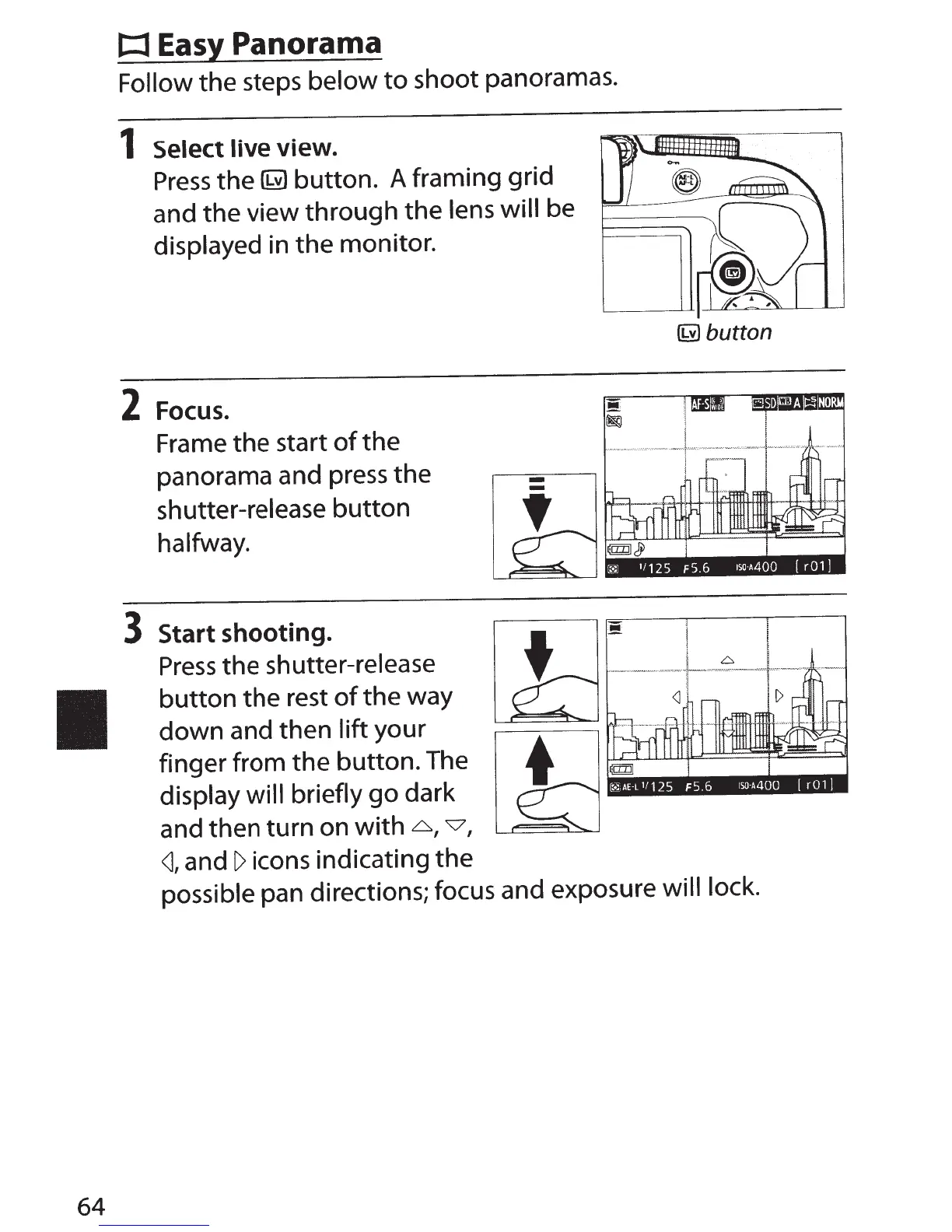
Easy Panorama
Follow
the
steps
below
to
shoot panoramas.
1 Select live view.
Press
the
~
button.
A framing
grid
and
the
view
through
the
lens
will
be
displayed
in
the
monitor.
2
Focus.
Frame
the
start
of
the
panorama and press the
shutter-release
button
halfway.
3
Start shooting.
Press
the
shutter-release
button
the
rest
of
the way
down
and then
lift
your
finger from
the
button. The
display will briefly
go
dark
and then
turn
on
with
6,
v,
<J,
and
I>
icons indicating
the
~button
!
!
·
--
•-
·
•·-
·
·.·.--
-•
.
··
.
-.
-.
,_J~vw
·
--
,::.
v
.--
v
..
·
.-.
.
w,.,
.L
-.._v.-.
-.·
·
<J
I
possible pan directions; focus and exposure
will lock.

Table of Contents

Other manuals for Nikon D3300

Related product manuals