Check the current camera firmware version
The menus displayed on your camera may differ from those shown here.
1
Turn the camera on.
2
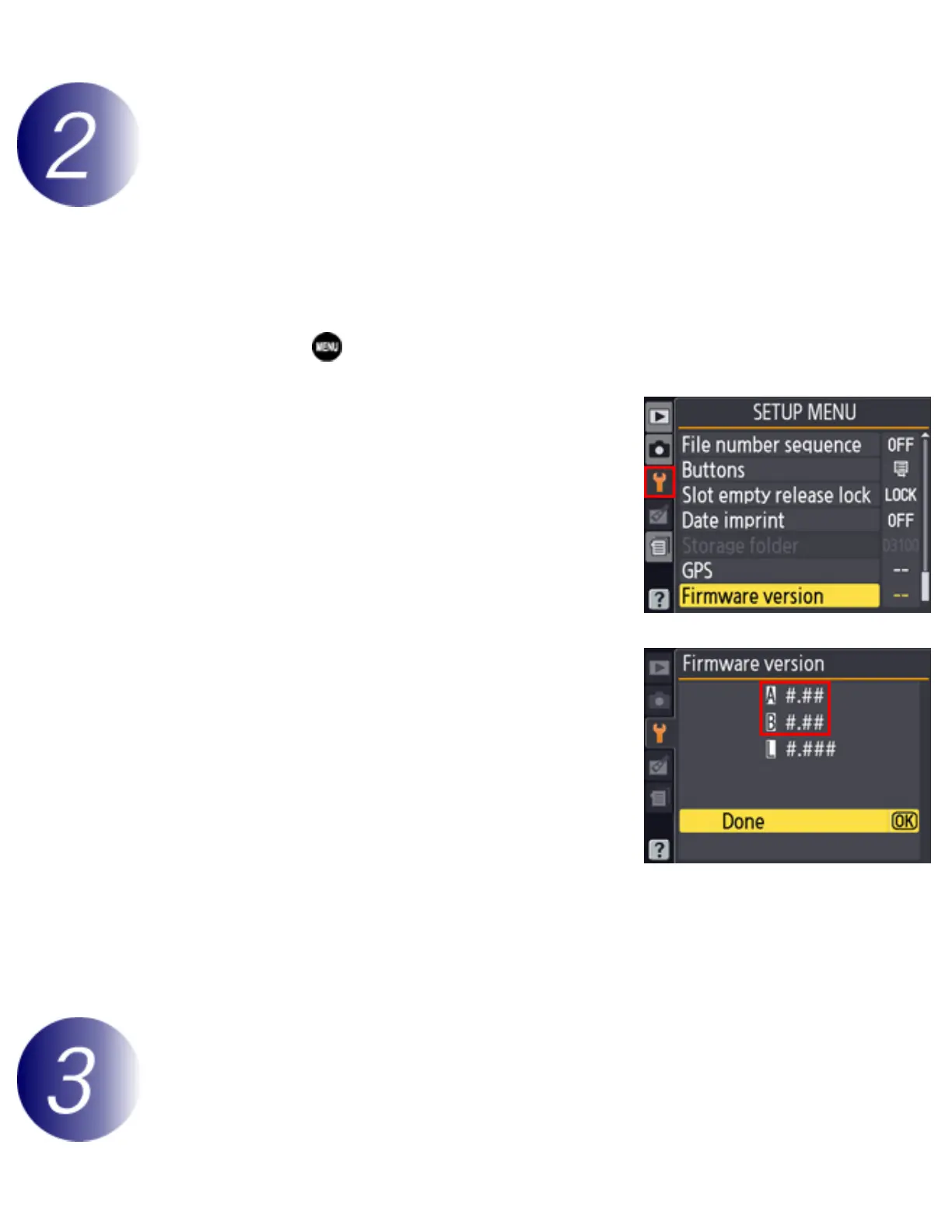
Press the to display the menus.
3
Select Firmware version in the setup menu.
4
The current firmware version will be
displayed. Confirm that the firmware version
is the correct version for this update.
“#.##” is the firmware version.
5
Exit to the setup menu and turn the camera off.
Download and extract the new firmware
Create a new folder on your computer.
file:///C|/Users/dbolger/Desktop/April%202%20releases/D3S/En/En/dslr_win_en.html (2 of 7) [4/1/2013 12:14:26 PM]



 To Next Page