Cameras with Two Memory Card Slots
If the camera allows you to select one slot as the primary slot and the other
as the secondary slot, insert the card into the slot currently selected as the
primary slot. Otherwise insert the card into Slot 1.
2
Turn the camera on.
3
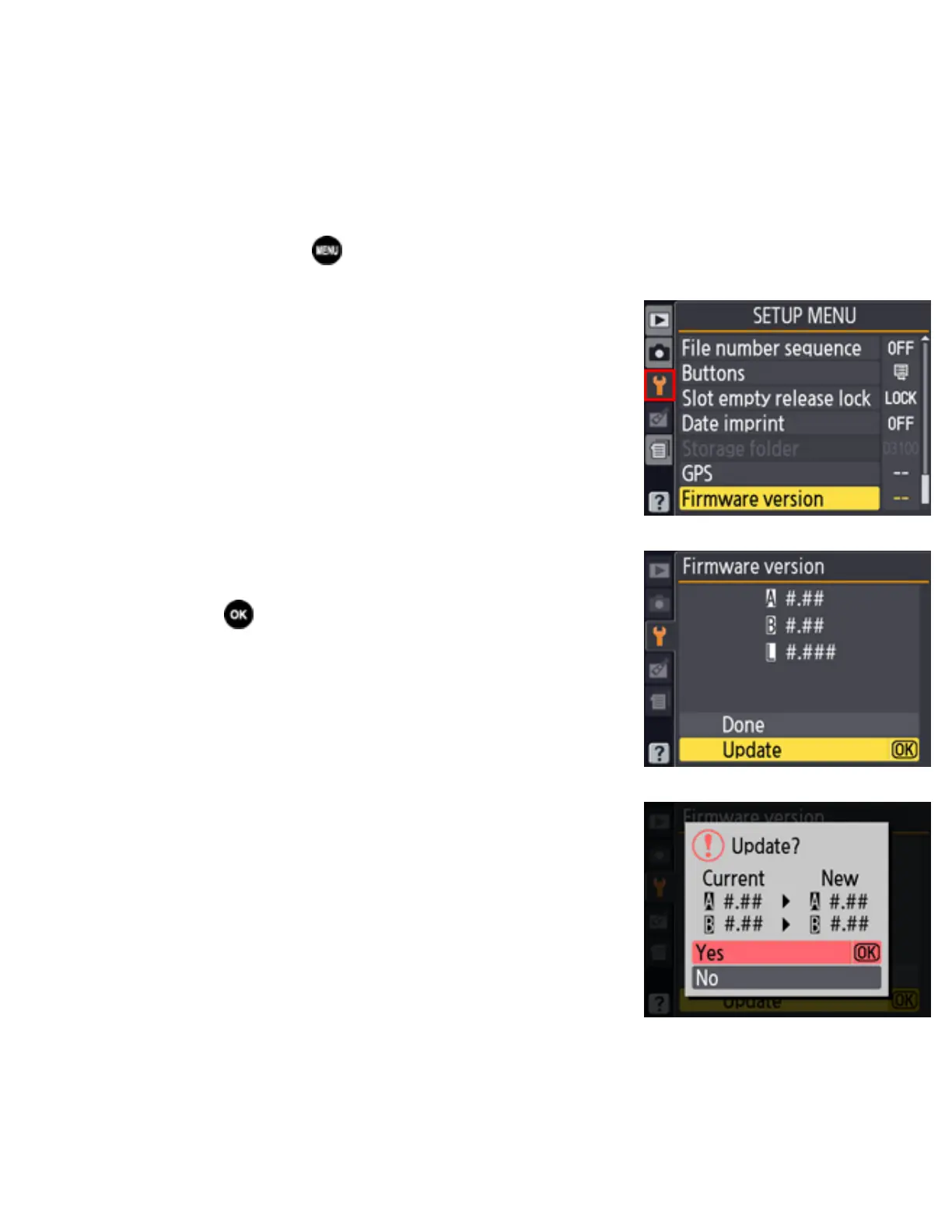
Press the to display the menus.
4
Select Firmware version in the setup menu.
5
The current firmware version will be
displayed. Highlight Update and press the
.
6
A firmware update dialog will be displayed.
Select Yes.
7
The update will begin. Follow the on-screen instruction during the update.
file:///C|/Users/dbolger/Desktop/April%202%20releases/D3S/En/En/dslr_win_en.html (6 of 7) [4/1/2013 12:14:26 PM]



 To Next Page