For more instructions on con-
necting to a computer and trans-
ferring images, see Chapter 8.
Right side
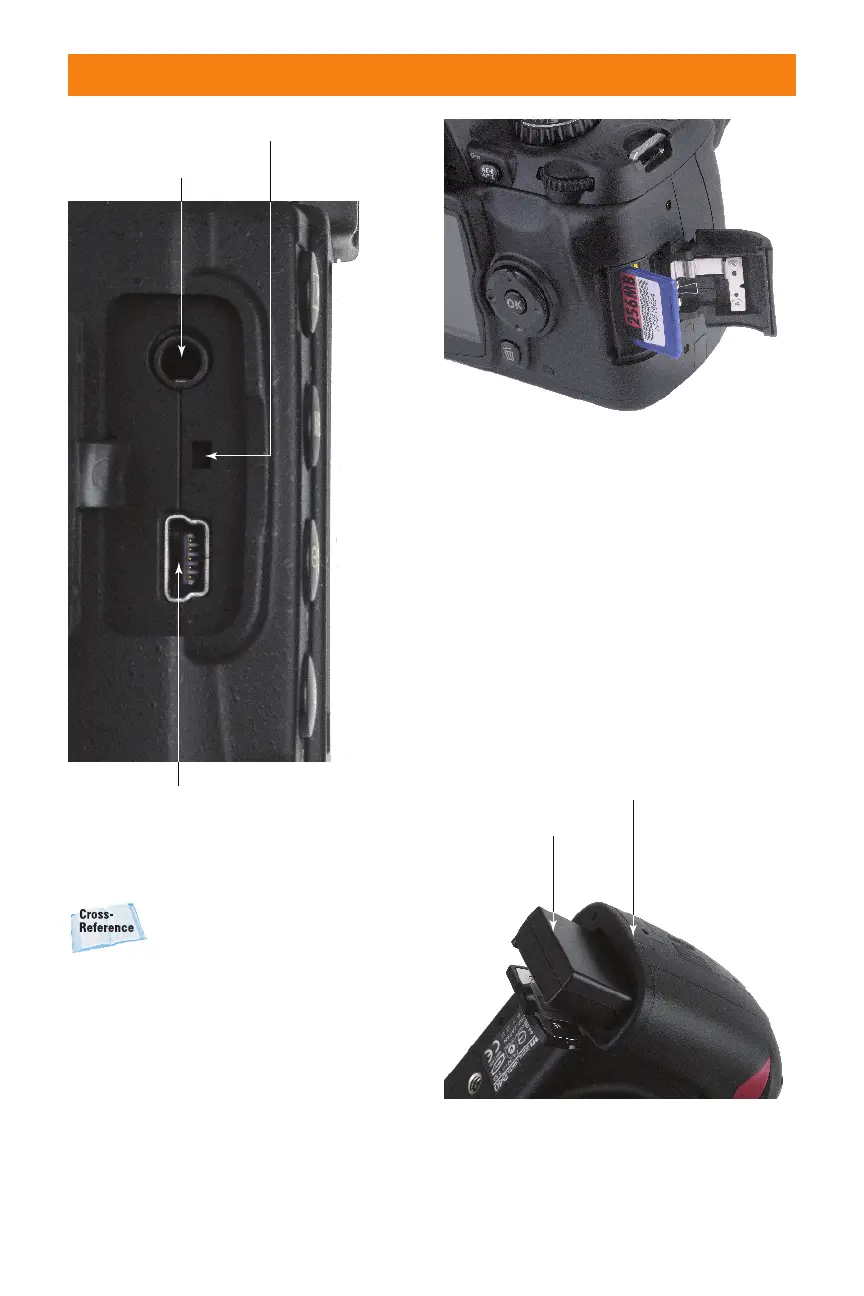
The right side of the camera has only a single
door that slides back toward you and then
swings open to reveal a slot for the Secure
Digital (SD) memory card (see figure 1.7).
Push down on the card to release the retain-
ing catch, and it pops out for easy removal.
Bottom
On the bottom of the Nikon D40/D40x,
there is a tripod socket, and a flip-open door
accepts a single EN-EL9 rechargeable
lithium ion battery, as shown in figure 1.8.
There is also a fold-down door to allow you
to plug in the optional EH-5 AC adapter and
EP-5 AC adapter connector.
20 Part I ✦ Using the Nikon D40/D40x
Video connector
USB port
Reset switch
1.6 Your USB and video devices plug into
these connectors.
1.7 A memory card fits into the slot on the
side of the camera.
1.8 A compartment in the bottom of the
D40/D40x accepts a rechargeable battery
and an optional AC adapter.
06_171486 ch01.qxp 8/8/07 6:21 PM Page 20



 To Next Page