FOCUSING – THE FOCUS AREA
Due to the conditions we photograph in whilst on location in the shopping centres the best focus area mode is
Auto-area AF.
This mode is where the camera automatically detects subjects and selects the focus point(s)
Follow the steps below to select the correct (Auto Focus) AF-area mode.
1.
Press the
“i”
button, then
highlight the current AF-area
mode on the screen display and
press
OK
.
2.
Highlight the
Auto-area AF
symbol and click
OK
.
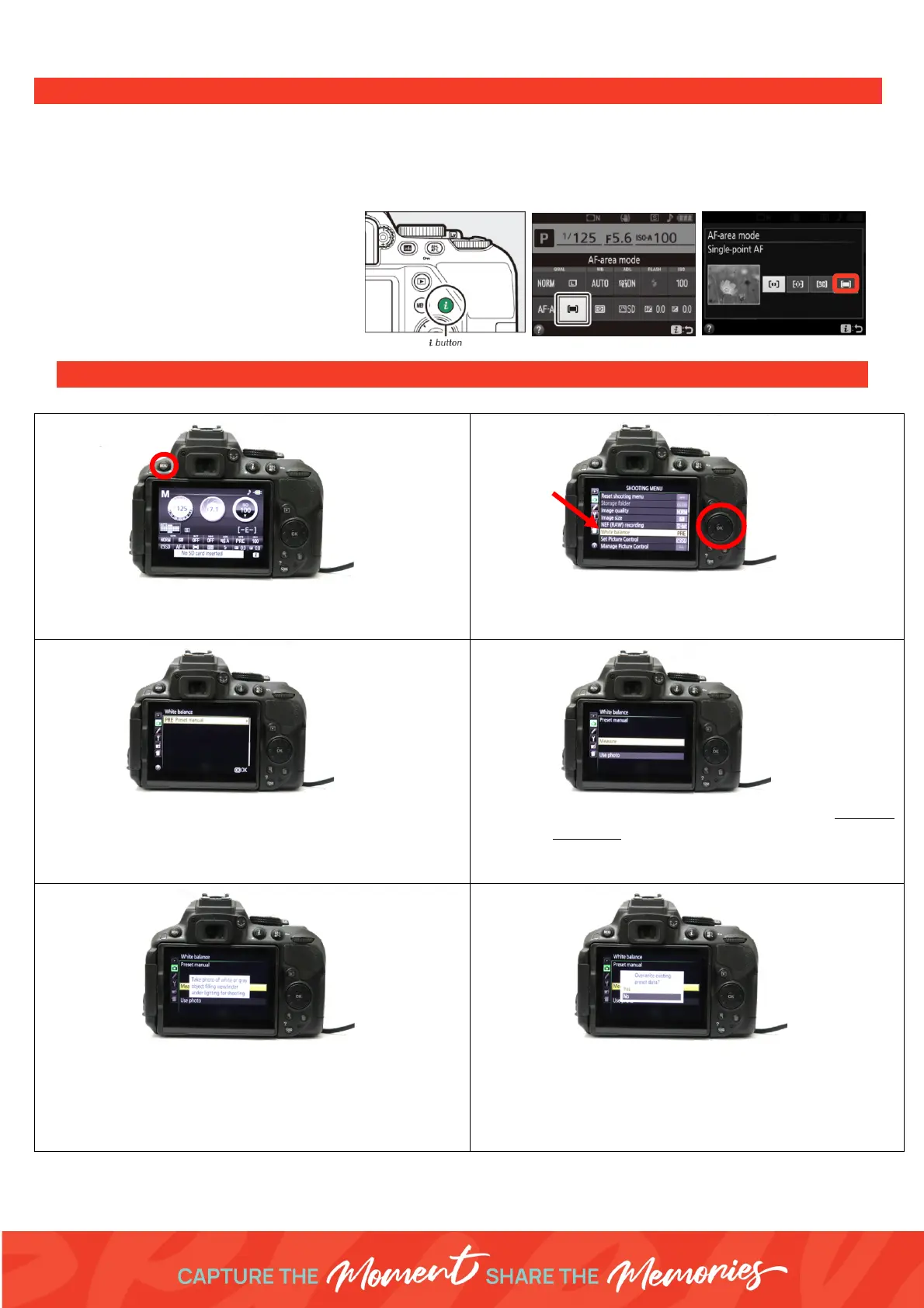
PRESET MANUAL WHITE BALANCE PROCEDURE
2. Use the keypad multi-selector to select the (camera
icon) Shooting Menu - Tab 2.
Select
White Balance
3. If the option is selected on
PRE-Pre-set manual,
then
press
OK
. If not use the right arrow to navigate to
the
PRE
option, then press
OK.
4. The camera will ask you if you would like to measure
or use photo. Select
measure
as we are measuring
the white balance for our on-location lighting set up
and everyday can be different.
5. Take a photo of your white balance sheet
Hold the white sheet where the customers being
photographed will be standing/seated. Zoom in
using the lens to make the white sheet fill the
camera frame.
6. Overwrite existing data – select
YES!
The camera should say
“Data Acquired
”
If the Camera comes up with the error “
Unable to
measure”
check settings and lighting then repeat
steps 1-6.



 To Previous Page