124
r
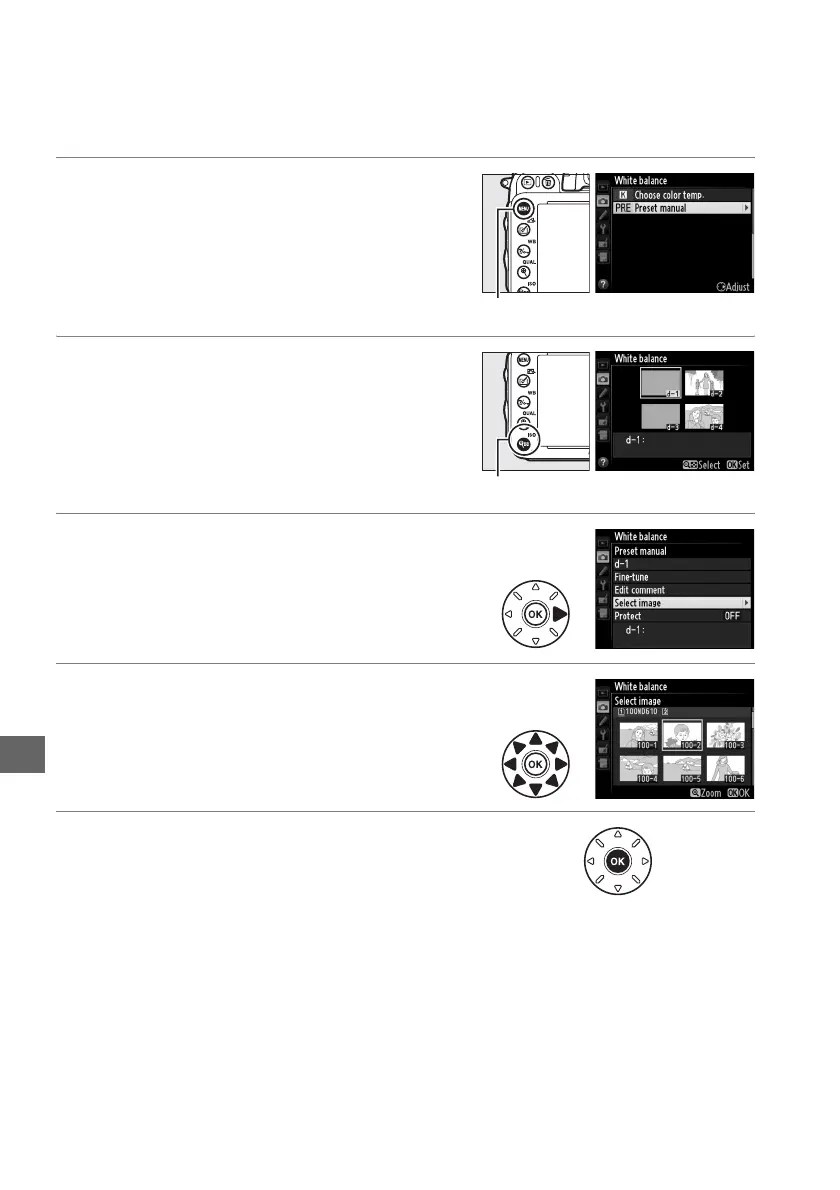
❚❚ Copying White Balance from a Photograph
Follow the steps below to copy a value for white balance from an existing
photograph to a selected preset.
1 Select L (Preset manual) for White
balance in the shooting menu.
Press the G button and select White
balance in the shooting menu. Highlight
Preset manual and press 2.
2 Select a destination.
Highlight the destination preset (d-1 to d-4)
and press W (S).
3 Choose Select image.
Highlight Select image and press 2.
4 Highlight a source image.
Highlight the source image.
5 Press J.
Press J to copy the white balance value for
the highlighted photograph to the selected
preset.
If the highlighted photograph has a
comment (0 253), the comment will be
copied to the comment for the selected
preset.
G button
W (S) button



 To Next Page