Chapter 1
Quick Setup Guide
This chapter contains the essential information you need to get your Nikon
D800 prepped and ready to go. You’ll learn how to use a few of the basic con-
trols and features, and how to transfer your photos to your computer. If you
want a more complete map of the functions of your camera, skip ahead to
Chapter 2. Live view is touched on only briefly in this chapter; if you want to
begin using live view or shoot movies immediately, check out Chapter 6.
Pre-Flight Checklist
The initial setup of your Nikon D800 is fast and easy. You just need to learn a
few controls, charge the battery, attach a lens, and insert a memory card.
Charging the Battery
When the battery is inserted into the MH-25 charger properly (it’s impossible
to insert it incorrectly), an orange Charge light begins flashing, and remains
flashing until the status lamp glows steadily indicating that charging is fin-
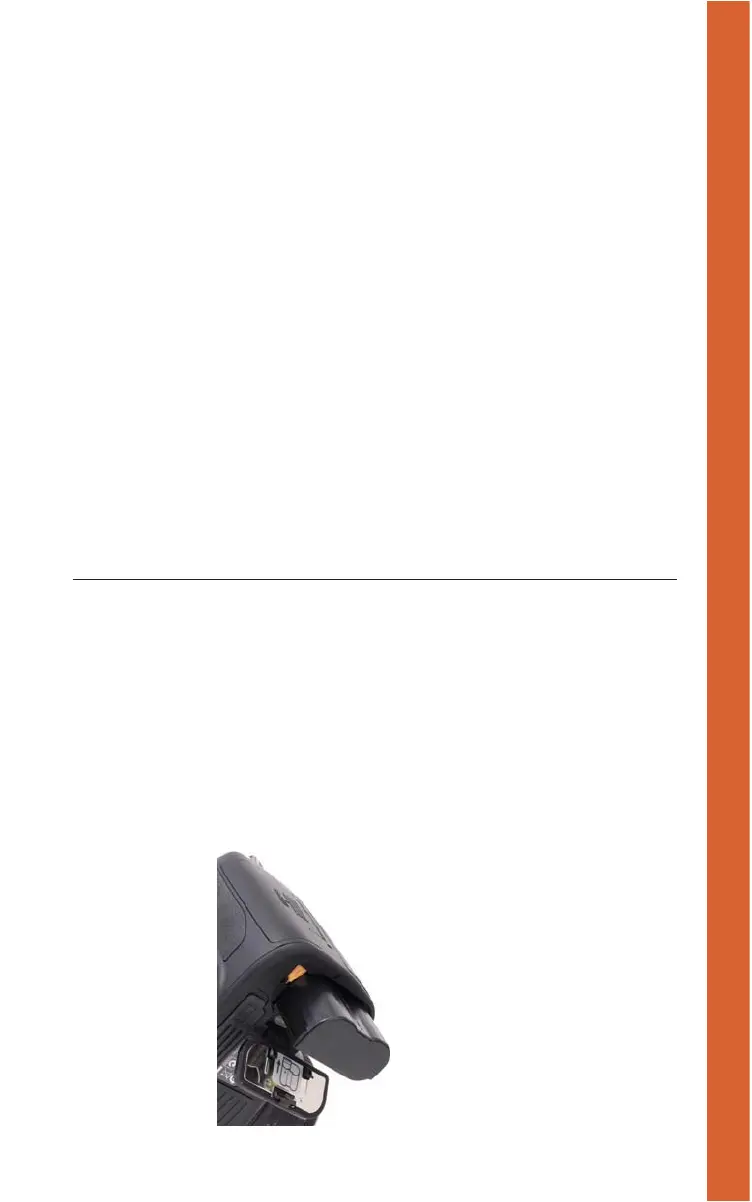
ished, generally within two to three hours. When the battery is charged, slide
the latch on the bottom of the camera and ease the battery in, as shown in
Figure 1.1.
Figure 1.1
Insert the battery
in the camera; it
only fits one way.
(c) 2014 Cengage Course Technology. All Rights Reserved.



 To Next Page