EasyManua.ls Logo

Nikon FM10 - Infrared Photography; Mount the Lens onto the Camera

Nikon FM10
13 pages
Print Icon
To Next Page IconTo Next Page
To Previous Page IconTo Previous Page
Loading...
infrared
Photography
1.
The
dot
marks
printed
in
yellow
and
green
are
the
infrared
distance
indicators.
The
green
mark
with
a
red
line
is
for
35
mm
(wide)
and
the
yellow
mark
with
a
red
line
for
70
mm
(telephoto).
They
are
used
for
reading
the
distance
scale
in
infrared
photography
using
infrared
film
and
filters.
2.
First,
secure
focus
in
the
normal
manner.
Then,
Ue
TTT
read
off
the
subject
distance
on
the
normal
2216
11
8
56
35
25
distance
scale
(14),
then
align
it
with
the
infrared
:
)
distance
indicator,
according
to
the
focal
length.
3.
For
instance,
when
you
focus
on
a
subject
at
2m
in
the
normal
manner,
read
off
the
value
ā€œ2ā€
on
the
focusing
scale
and
move
the
focusing
ring
until
the
infrared
distance
indicator
points
to
ā€œ2ā€.
4.
Always
use
the
red
filter,
such
as
the
R60,
when
attempting
infrared
photography.
For
other
details
concerning
infrared
photography,
follow
the
Me
ee
aT
instructions
of
the
infrared
film
used.
22
16
11
8
56
35
70mm
-19-
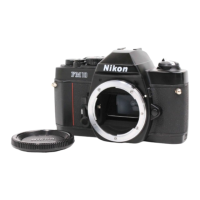
Mount
the
Lens
onto
the
Camera
Position
the
lens
in
the
camera's
bayonet
mount
so
that
the
mounting
indexes
on
lens
and
camera
body
are
aligned.
Taking
care
not
to
press
the
lens
release
button,
twist
lens
counterclockwise
until
it
locks
into
place.
To
remove:
Push
the
lens
release
button
(8)
and
turn
the
lens
mounting
ring
clockwise
until
the
lens
comes
off.
Note:
When
changing
lenses
with
fiim
loaded
in
the
camera,
be
careful
not
to
expose
the
mirror
box
to
direct
sunlight.
If
the
tripod
has
a
large
head,
contact
between
the
lens
barrel
and
the
head
may
make
it
impossible
to
turn
the
lens
aperture
ring.
In
this
case,
use
the
special
tripod
adapter
supplied
with
the
camera
between
the
tripod
head
and
the
camera
body.
-?20-

Other manuals for Nikon FM10

Related product manuals