EasyManua.ls Logo

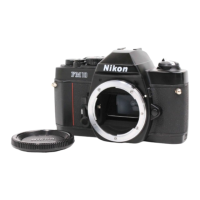
Nikon FM10 - Exposure Setting (Aperture Priority)

Nikon FM10
13 pages
Print Icon
To Next Page IconTo Next Page
To Previous Page IconTo Previous Page
Loading...
Exposure
Setting
(aperture
priority)
1.
Place
the
film
advance
lever
(3)
in
the
ready
position
and
turn
the
aperture
ring
(13)
until
the
index
on
the
lens
barrel
indicates
the
desired
¢/
value.
2.
The
suitable
aperture
value
changes
according
to
the
brightness
of
the
subject,
the
depth-of-field
desired
or
filmspeed
of
the
film
in
use,
and
typical
settings
of
the
aperture
with
ISO
100/21°
film
are
as
follows:
[Subject
|
Fivalue
F/11
to
F/16
Mountain
areas
with
snow
3.
To
monitor
the
exposure,
press
the
Exposure
measurement
button
(18)
and
turn
the
shutter
speed
dia!
until
the
green
O
mark
lights
in
the
viewfinder.
If
the
red
sc
mark
lights,
turn
the
shutter
speed
dial
to
the
higher
shutter
speed
setting
and
if
the
red
mark
lights,
then
turn
the
shutter
speed
dial
to
the
lower
shutter
speed
setting.
When
the
green
O
mark
lights
at
intermediate
positions
between
Click,
first
set
the
dial
at
a
click
on
either
side
and
make
fine
control
by
operating
the
aperture
ring
afterwards.
Note:
Outside
the
exposure
metering
range
of
your
camera
(EV2
to
EV19),
the
exposure
meter
will
not
function
properly
and
the
green
LED
indicator
may
come
on
indicating
incorrect
exposure.
-10-
Overexposure
Correct
exposure
Under
exposure
Vl
¢
vi,
~
0
oe
ape
=a
=
é
i
\
/
i
\
LZ
eZ
vi?
O
2O=-O=-O:
(O--O--O-
OC
/
1%
/
|
\
f;,N
vy
vty
~
“U™,
Ea)
2
-C-
-c—-
~
~
|
/
]
\
4
i
\
Slightly
over
Slightly
under

Other manuals for Nikon FM10

Related product manuals