EasyManua.ls Logo

Nikon MB-D11 - Page 11

Nikon MB-D11
16 pages
Print Icon
To Next Page IconTo Next Page
To Previous Page IconTo Previous Page
Loading...
Inserting
Batteries
The
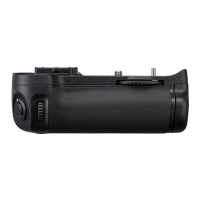
MB-011 can be used
with
one
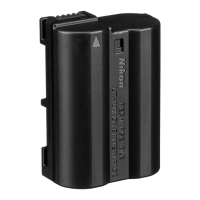
EN-EL
15
rechargeable Li-ion battery, or
with
six
AA
batteries.
Before inserting batteries, be sure
that
the
camera
is
off
and
that
the
MB-011
control lock
is
in
the
L
position.
1
Turn
the
MB-011
battery-chamber
latch
to~
and remove
the
battery holder (Figure
E).
2
Ready
the
batteries
as
described
below
.
EN-EllS:
Matching
the
indentations on
the
battery
to
the
projections on
the
MS-011
EN
holder, insert
the
battery
with
the
arrow(_.)
on
the
bat-
tery
toward
the
battery
holder
power
terminals (Figure
F-
CD
).
Press
the
battery lightly
downward
and slide it in
the
direction
of
the
arrow until
the
power
terminals click
into
place (Figure F-®).
AA
batteries
:
Place
six
AA batteries
in
the
MS-011
battery
holder
as
shown
in
Figure
G,
making sure
that
the
batteries
are
in
the
correct orienta-
tion
.
3
Insert
the
battery
holder
in
the
MB-011
and latch
the
battery-chamber
cover (Figure
H).
Make sure
the
holder
is
fully
inserted before
turning
the
latch.
4
Turn
the
camera on and check
the
battery level in
the
control panel or
viewfinder
.
If
the
camera does
not
turn
on, check
that
the
battery
is
cor-
rectly inserted.
The
EP-58
Power
Connector
When using
the
EP-SB
power
connector, insert it into
the
MS-Dll
EN
holder
with
the arrow
(..A.)
on
the
connector
toward
the
battery
power
terminals.
Press
the
connector
lightly
downward
and slide it in
the
direction
of
the
arrow until the
power
terminals click
into
place (Figure
1-
CD
).
Open the holder
power
connector cover and
pass
the
EP-SB
power
cable
through
the
opening
(Figure
1-
® ).
7

Other manuals for Nikon MB-D11

Related product manuals